

DashClicks Blog
The industry's top experts offer their best advice, research, how-tos, and insights—all in the name of helping you level-up your business and online marketing skills.
Join Us!
.svg)
.svg)
.svg)
.svg)
.svg)
.jpg)
8 AI SEO Tools, Sorted by the Job They Do (2026)
A strategist I know keeps a screenshot pinned above her desk: a client's product page, ranked third for a fat commercial term, that had stopped mattering. The searcher never scrolled to it. An AI answer sat at the top, summarized the category in four sentences, named two competitors, and moved on. The ranking was real; the visibility was gone. That gap is why people go looking for AI SEO tools now, though most can't yet name what they're after.
So here's the honest shape of it. Most lists rank these products against each other, as if you were choosing one thing; you aren't. You're hiring a tool for a job, producing content an answer will quote, seeing whether it does, planning what to write next. Some platforms, such as SE Ranking and Semrush, cover several of these jobs within broader SEO suites, while others are built around a narrower specialty. The audience is already there: 34% of US adults have now used ChatGPT, and 58% of those under 30.
For agencies managing SEO across multiple clients, the tool itself is only part of the workflow. DashClicks, for example, provides white label SEO services that can complement AI-assisted research and content workflows, particularly when teams need to connect individual optimization tasks with a broader client SEO strategy.
The walk-through below sorts the eight tools by the job they are designed to do, rather than treating them as interchangeable products.
Job 1: Producing Content an AI Answer Will Actually Quote
This is the job most teams mean by "AI SEO," and it isn't ranking: a position gets you ranked, being quoted gets you named inside the answer a person actually reads. The two used to travel together, then separated - only 1% of users click a source cited inside an AI summary, so the mention itself is often the prize. You write differently once you believe that: cleaner claims, tighter definitions, answers that survive being lifted out of context. The AI SEO tools relevant to this job, including SE Ranking, Surfer, Frase, and NeuronWriter - approach content optimization by comparing drafts with what's already performing in search.
Job 2: Knowing Whether AI Engines Mention You At All
You can't optimize what you can't see, and for most of a year that's what teams were flying without. The page ranks; does an AI answer cite it? Different question, different instrument. This is where AI search optimization tools earn their keep - watching the answers themselves, logging which brands get named, tracking your share of the conversation over time. SE Ranking, Peec AI, and Writesonic each do a version of this. The stakes are concrete: Google's AI Mode cites about 12.6 links per answer drawn from tens of thousands of domains, with only around 14% overlap with the organic top 10 (SE Ranking's AI Mode study). Ranking and being cited are now two different games; watching only the old one tells you less than half of what happened.
Job 3: Planning Topical Authority Before You Write
This is the least glamorous job, and the one that quietly compounds. Nobody screenshots a content map. But the teams cited consistently tend to be those who decided, months earlier, which territory to own - then covered it well enough that an AI model reads them as the authority. That's planning work, not writing work. MarketMuse's topic modeling and SE Ranking's keyword and gap data can both support this process, helping teams identify areas where a content cluster may need additional coverage. The payoff shows up late but large: generative-AI referral traffic grew more than tenfold between mid-2024 and early 2025, and those visits last 41% longer than non-AI traffic (Adobe). Authority turns that trickle into something you can plan around.
For agencies that handle the broader SEO strategy beyond content planning, services such as those offered by DashClicks can help connect topical research with ongoing search optimization. That distinction matters when content planning is only one part of a client's wider organic growth strategy.
Job 4: Doing It in One Site
Some teams would rather not assemble a stack at all - not chase four logins, four billing dates, four support queues. For them, Semrush folds AI content and visibility into modules inside the suite they already run, so the whole job happens under one roof. It's the pragmatist's answer, and no shame in it.
The Eight Tools, Evaluated by Use Case
The best AI SEO tools aren't the ones that win a category outright; they're the ones matched to a job - the generative AI SEO tools that draft and grade, the trackers that watch the answers, the planners that map the territory. Read the eight as a spectrum, not a leaderboard.
1. SE Ranking
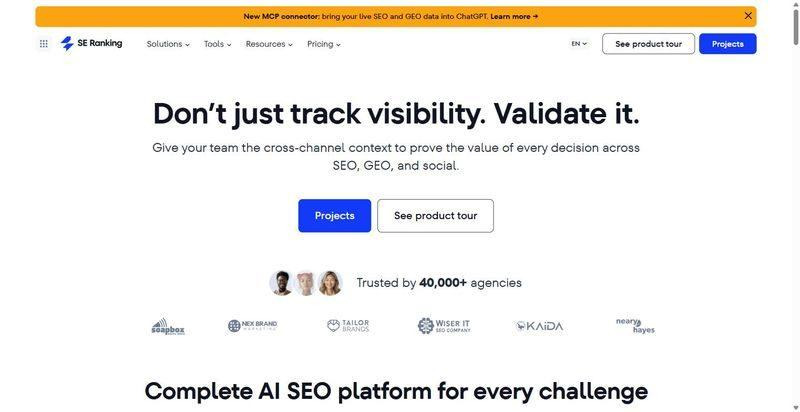
An AI-powered SEO platform that covers several of the jobs discussed in this guide, combining content optimization, SEO research, and AI visibility tracking.
Best for: Content teams that want to produce, track, and plan in one place, not stitch three tools together.
Standout: Its AI Results Tracker records how a brand is mentioned and linked across AI Overviews, AI Mode, Gemini, Perplexity and ChatGPT, storing the cached answers and their cited sources; the AI visibility dashboard turns "are we even in the answer?" from a guess into something you can read.
Pros:
- Grades a content editor draft against the live top 10.
- Tracks AI Results across five engines with cached answers and source intelligence.
- Keeps keyword, audit and gap data under one roof.
- Ships API and MCP access on every plan.
Cons:
- Reserves deeper sentiment and cross-country benchmarking for the AI Search add-on.
- Scales prompt and research caps with plan tier.
- Trails a dedicated specialist on any single, isolated job.
Pricing: Core $129/mo ($103.20/mo billed annually), Growth $279/mo; 14-day trial.
Where it lands: A broad option for teams that prefer to manage content, SEO research, and AI visibility tracking within one platform rather than using separate specialist tools; it concedes the specialist's edge and still earns its place, because most teams lose more hours to switching tools than to any one tool's ceiling.
2. Surfer SEO
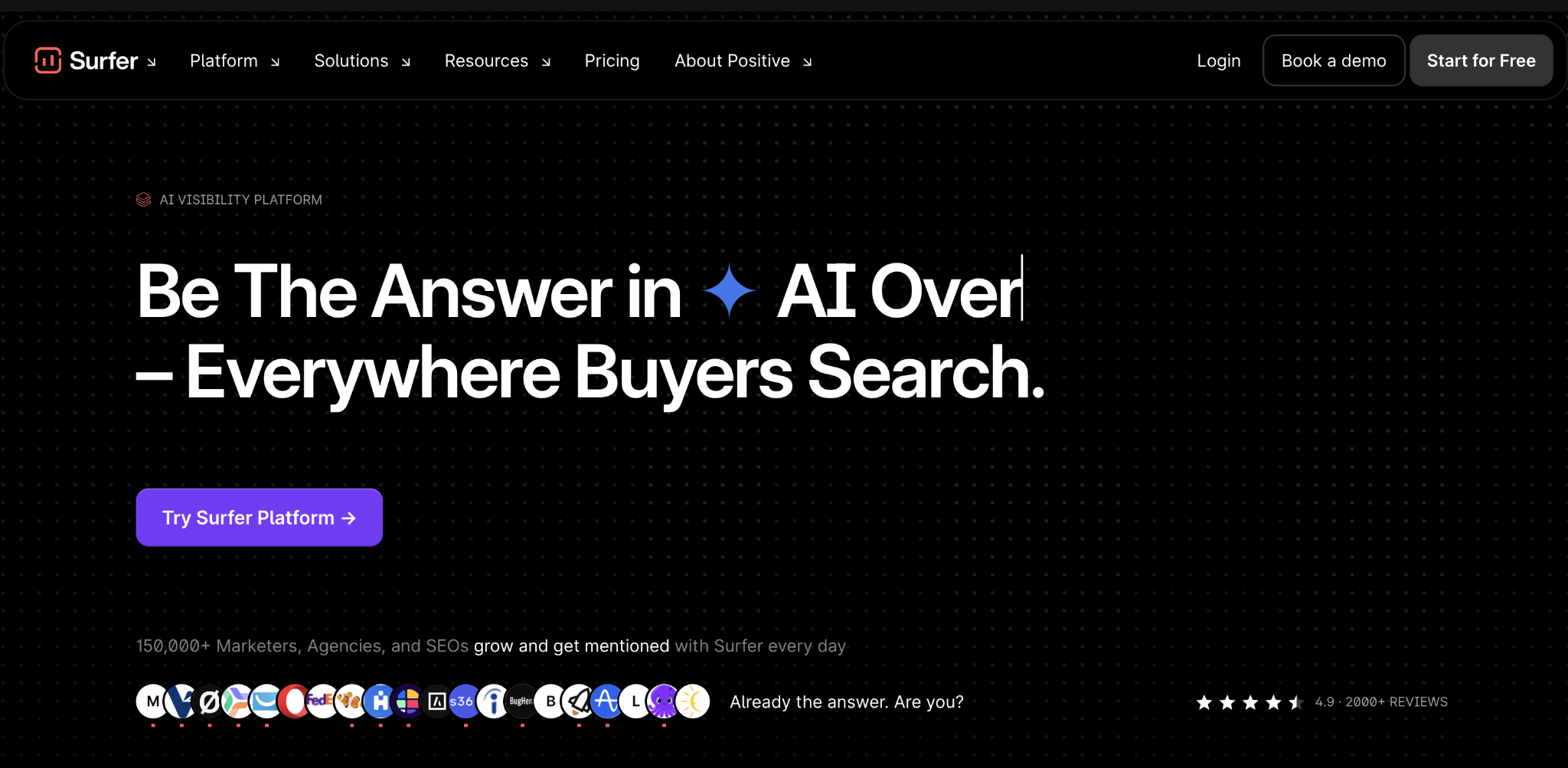
Real-time on-page grading that tells a writer, mid-sentence, whether a draft is complete against what already ranks.
Best for: Writing teams who want a shared, objective score every draft has to clear.
Standout: The Content Editor scores as you write and maps term coverage against the ranking pages, while newer AI-visibility prompt tracking watches ChatGPT, Perplexity and Google for whether your pages get named.
Pros:
- Grades fast enough to fit inside one editing pass.
- Bundles an AI writer and humanizer.
- Flags cannibalization and internal-link gaps.
- Draws its terms from the live SERP.
Cons:
- Prices multi-engine visibility tracking steeply.
- Caps documents and pages on lower tiers.
- Grades words but won't track a site.
Pricing: Discovery $49/mo, Standard $99/mo, Pro $182/mo (billed yearly).
Where it lands: The grader that ends the "is this done?" argument - the quality layer across a roster of writers, its ceiling the page, not the site.
3. Frase
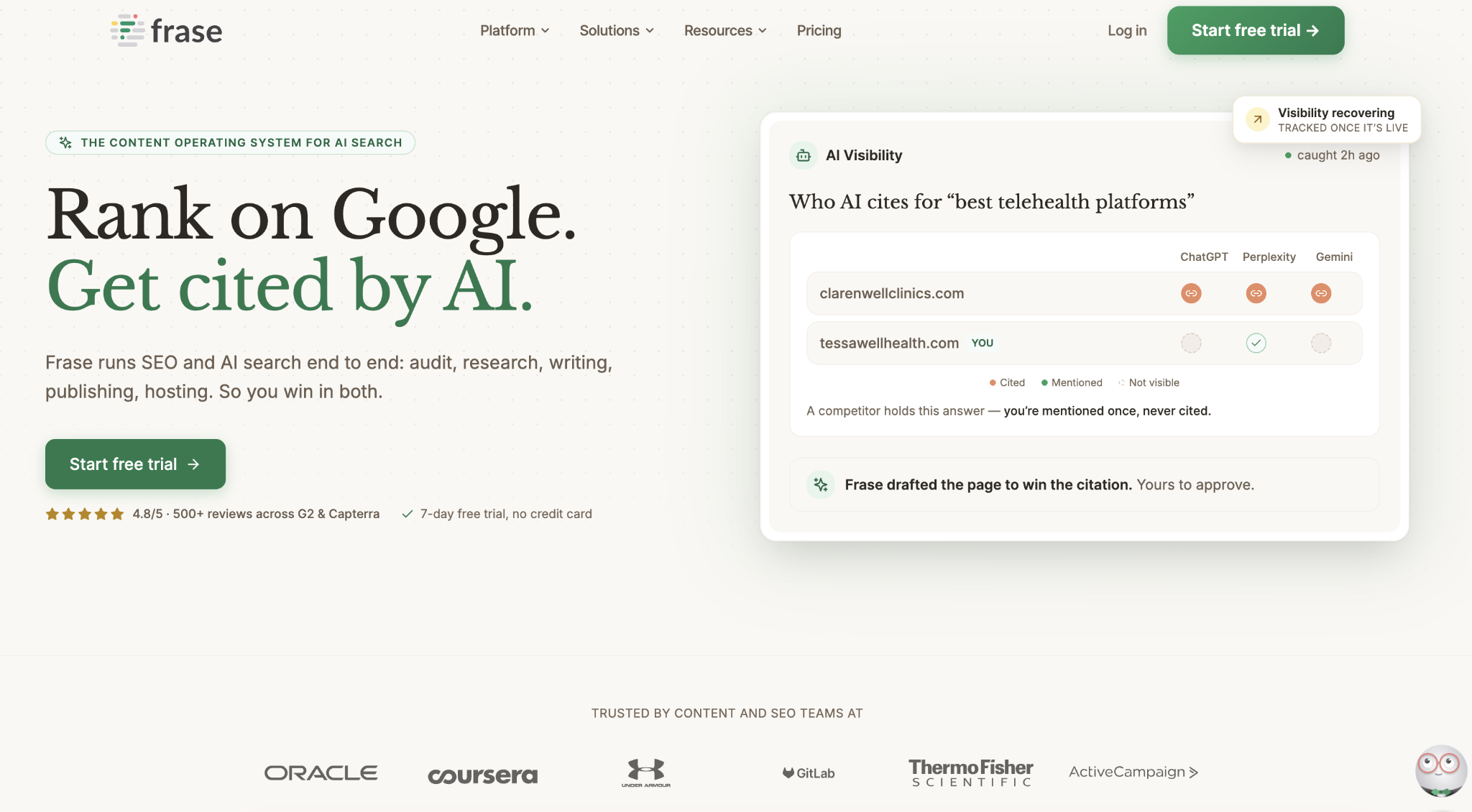
Turns a query into a SERP-based brief and outline fast, so writers start from structure, not a blank page.
Best for: Teams whose bottleneck is the research-to-brief step.
Standout: Frase pulls headings and questions from the ranking pages and builds a brief in minutes, then tracks answer coverage across ChatGPT, Google AI, Perplexity, Claude and Gemini as breadth widens by tier.
Pros:
- Compresses briefs from hours into minutes.
- Produces competent AI first drafts.
- Runs content-gap audits.
- Suggests internal links.
Cons:
- Tightens article and audit quotas at volume.
- Reserves its richest AI-visibility coverage for the top tier.
Pricing: Starter $39/mo, Professional $103/mo, Scale $239/mo (billed yearly).
Where it lands: A brief engine that quietly saves the hours nobody budgets for; buy it for the research-to-brief compression, and treat the AI-visibility layer as a bonus.
4. Semrush
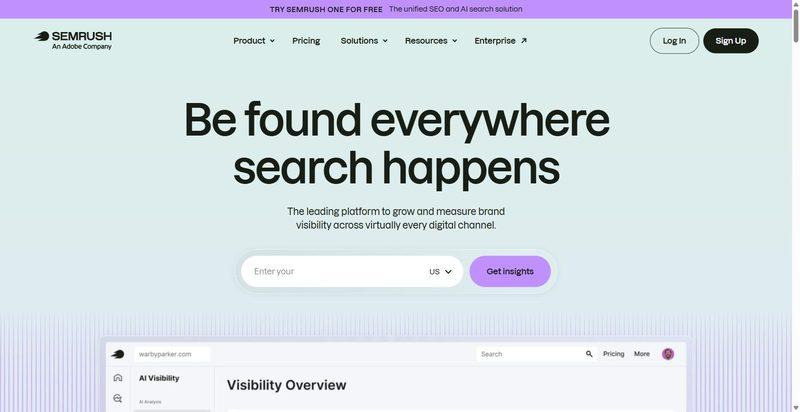
A full SEO suite that keeps its AI work in separate compartments - a Content Toolkit, an AI Visibility Toolkit, and an assistant.
Best for: Teams who would rather keep AI features inside a suite they already run.
Standout: The AI Visibility Toolkit tracks custom prompts daily across ChatGPT, Google AI, Gemini, and Perplexity, while ContentShake AI turns out SEO-scored drafts, all under one login.
Pros:
- Draws on broad, mature platform data.
- Generates SEO-scored drafts through ContentShake AI.
- Tracks prompts daily across four answer engines.
- Puts AI where the team already works.
Cons:
- Cost stacks across the base plan plus the AI Visibility and Content toolkits.
- Packaging was reorganized recently, so plan names shift under you.
- You reach the AI layer only through suite pricing.
Pricing: Content Toolkit $60/mo; AI Visibility Toolkit from $99/mo per domain; base plans $117 to $456/mo on annual terms.
Where it lands: Sensible when the suite is already your home; bought mainly for that AI layer, though, it becomes an expensive front door - a whole house for the use of three rooms.
5. MarketMuse
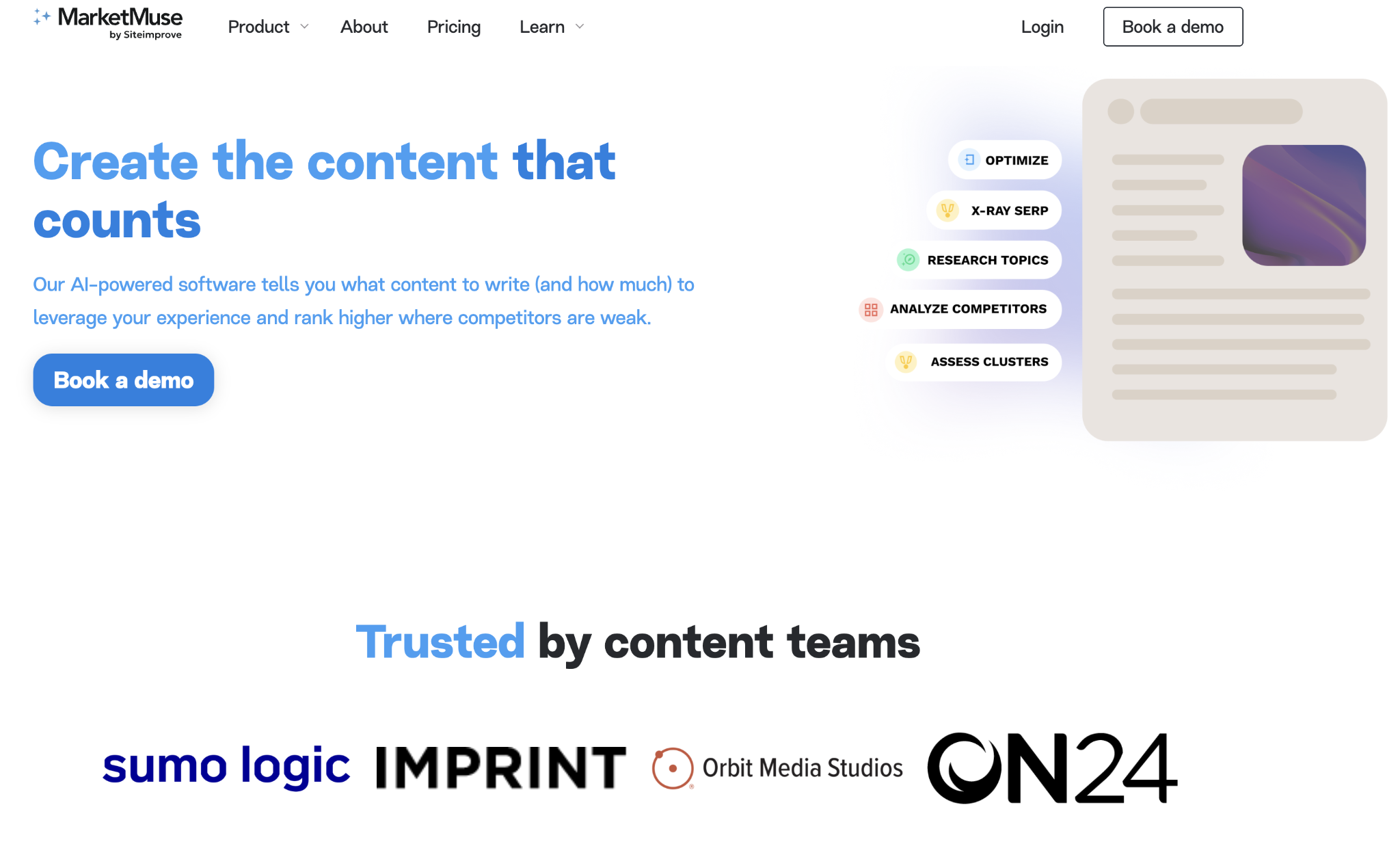
A content-planning platform built on topic modeling, made for the quieter decision of what to write before anyone opens a document.
Best for: Teams planning topical authority across a large library, not polishing a single page.
Standout: Proprietary topic modeling produces personalized difficulty and topic-authority scores, feeds nine brief types, and runs content-inventory analysis that maps coverage and gaps across an entire domain. It is less a grader than a cartographer.
Pros:
- Models topics in a way that earns its keep.
- Surveys the whole library through content inventory.
- Supplies multiple brief types for different jobs.
- Analyzes SERPs and keywords alongside the planning.
Cons:
- Paid pricing is demo-gated and stubbornly opaque.
- Query and brief caps run low on the lower tiers.
- Carries a learning curve before it repays the effort.
Pricing: Free tier at 10 queries a month; paid Optimize, Research, and Strategy by quote (Optimize historically around $149/mo).
Where it lands: The tool for the strategist who draws the map before booking the trip; for anyone grading one piece at a time, it is far more machinery than the task asks for.
6. Peec AI
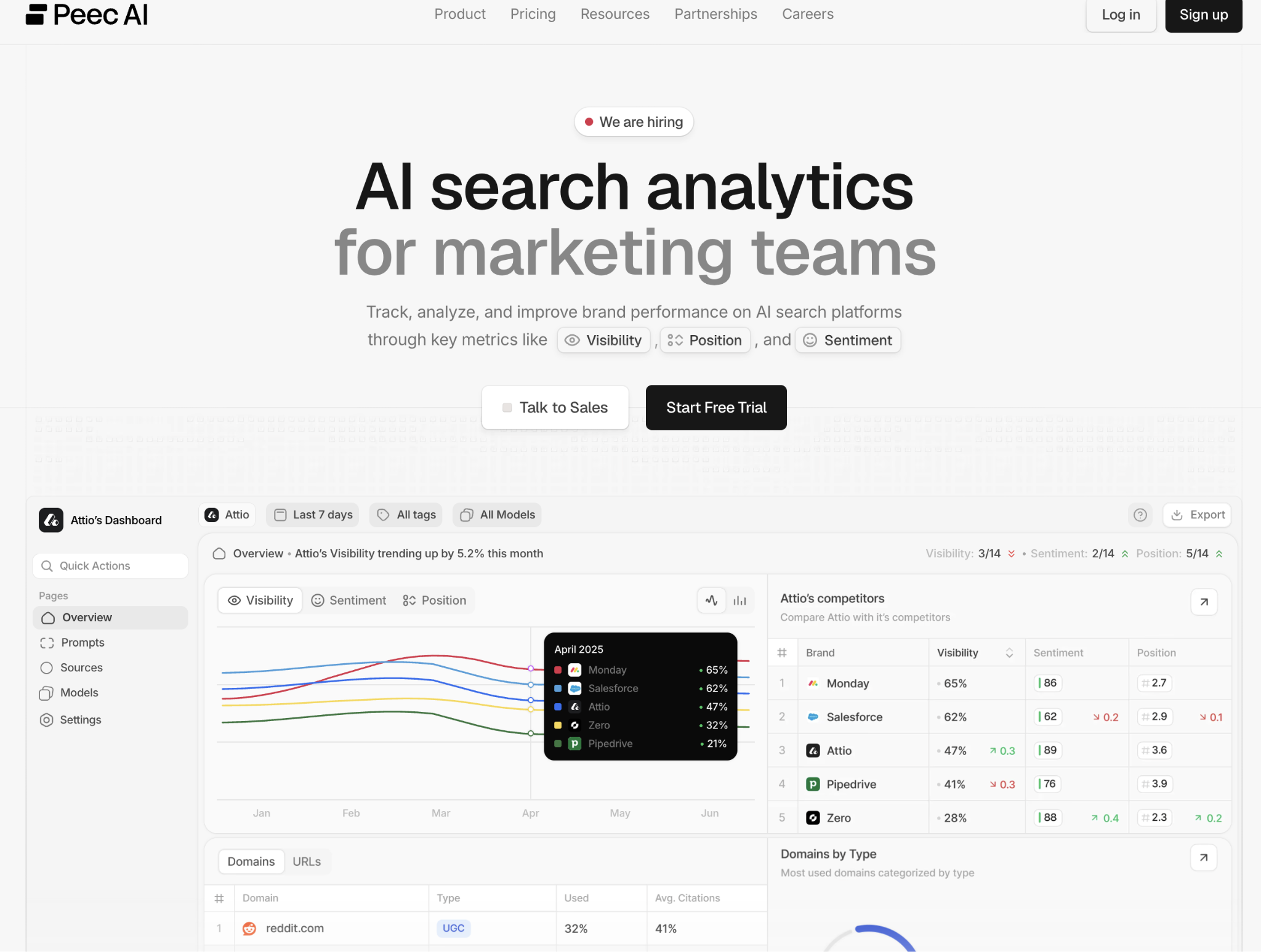
A focused AI-search analytics tool that measures brand visibility inside AI answers, and declines to do anything else.
Best for: Teams monitoring AI-answer share of voice against competitors.
Standout: It tracks brand mentions, share of voice, and cited sources across ChatGPT, Perplexity, Gemini, Copilot, and AI Overviews, with daily readings and prompt-level detail. The narrowness is deliberate.
Pros:
- Purpose-built for AI-visibility analytics.
- Surfaces competitor and cited-source views.
- Refreshes tracking daily.
- Reports cleanly, without clutter.
Cons:
- Does one job only, with no writing, audits, or classic rank tracking.
- Applies prompt and model limits on lower tiers.
- Charges more as you add models.
Pricing: Starter $95/mo, Pro $245/mo, Advanced $495/mo, with roughly 15% off on annual.
Where it lands: The right instrument when AI visibility is the whole brief; if your platform already tracks this respectably, it is a second subscription solving a problem you have mostly solved.
7. Writesonic
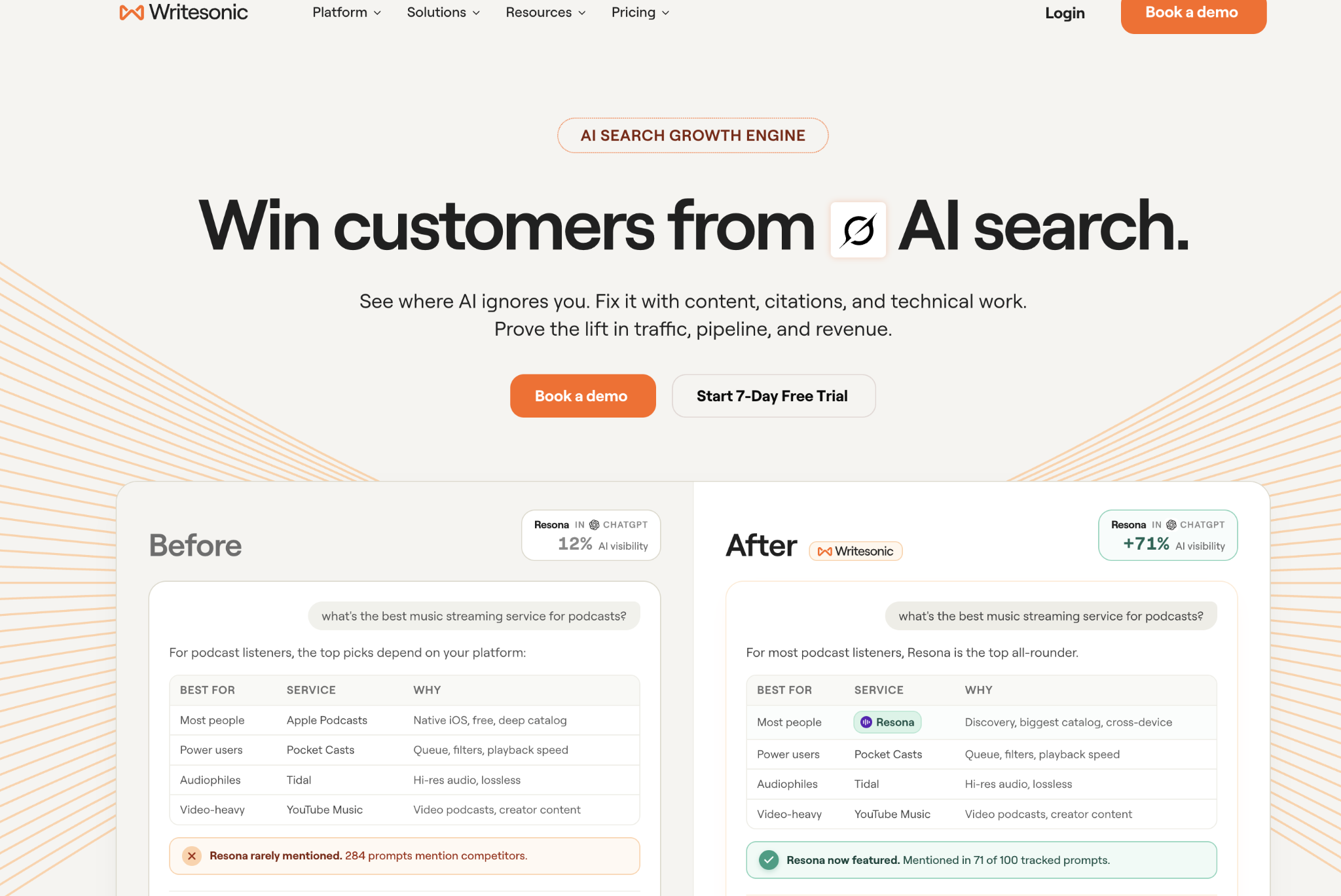
Rebuilt as an AI-search-visibility platform that pairs bulk article generation with audits and LLM/GEO tracking in one place.
Best for: Teams producing AI articles at volume who want answer-tracking in the same tool.
Standout: Bulk article generation runs alongside visibility tracking across ChatGPT, Gemini and Google AI Overviews; higher tiers add an Action Center that turns tracked gaps into on-page and off-page tasks, closing the produce-and-measure loop inside one screen.
Pros:
- Generates long-form articles at genuine volume.
- Runs site audits alongside production.
- Tracks visibility across AI answer engines.
- Adds sentiment analysis on higher tiers.
Cons:
- Reserves broadest LLM coverage and the full Action Center for Enterprise.
- Caps article counts even on Growth.
- Produces output that still needs a human editor.
Pricing: Starter $79/mo, Basic $199/mo, Growth $399/mo (billed yearly).
Where it lands: A throughput engine with a feedback loop, useful when volume is the constraint and someone still reads what ships; buy it for the loop, not the autopilot - the danger is in the pages nobody read before they went live.
8. NeuronWriter
A semantic-SEO content optimizer that grades drafts against NLP term models and tracks answer coverage, all at a low entry price.
Best for: Teams wanting disciplined semantic optimization without a premium per-seat bill.
Standout: Semantic content optimization sits at the center, fed by SERP-based recommendations and a one-click AI writer; answer tracking spans Google, ChatGPT, Perplexity and AI Mode, with WordPress and Shopify integrations on higher tiers. It scores a draft the way a strict editor might: against what the topic demands, not what you hoped to say.
Pros:
- Scores drafts with credible semantic depth.
- Writes competent first-pass copy in one click.
- Tracks answer coverage across major engines.
- Prices its entry tier within easy reach.
Cons:
- Presents a more utilitarian interface than premium rivals.
- Caps projects and analyses on lower tiers.
- Gates advanced features behind higher plans.
Pricing: Bronze $23/mo ($19/mo annual), up to Diamond $117/mo.
Where it lands: The workmanlike optimizer for teams who want the discipline of a content score without the premium ticket; the payoff is a draft held to a real standard rather than a flattering one.
Where This Leaves You
You don't buy a category; you hire for a job - a reframe that survives every price comparison. Some platforms cover several parts of the workflow, while specialists make more sense when one task becomes the whole assignment: AI visibility when being cited is the mandate, content planning when building topical authority is the work itself, or content optimization when improving individual pages is the priority. Being cited in an AI answer and ranking in blue links are now two different games, and your toolkit has to play both. The tools multiplied because the jobs did.
The tools become even more useful when they sit inside a broader SEO workflow. Agencies can combine AI-assisted research and optimization with white label SEO services such as those provided by DashClicks, giving clients a strategy that extends beyond what any individual AI SEO platform can handle.
Skip if: your platform already tracks AI visibility (don't pay twice for the same signal), or you're tempted to hand a high-stakes, expertise-heavy page to an autonomous writer.
Choose for the job in front of you, and the shortlist gets short fast.
Frequently Asked Questions
Q1. Which AI SEO tool is best for content production?
Ans. It depends on the job. Writesonic is geared toward higher-volume content production with tracking, while NeuronWriter focuses on semantic content optimization. Other platforms, including SE Ranking, combine content production with additional SEO and AI-visibility features rather than focusing exclusively on one part of the workflow.
Q2. How do you track brand visibility in ChatGPT and AI Overviews?
You need a tool that monitors AI-generated answers and records whether your brand appears, how often it appears, and which sources are cited. Several platforms in this list track visibility across ChatGPT, Gemini, Perplexity, and Google AI Overviews, including SE Ranking, Writesonic, and NeuronWriter, although their coverage and reporting features differ.
Q3. Do AI writing tools hurt rankings?
Not inherently. The bigger concern is publishing inaccurate, unhelpful, or poorly edited content regardless of how it was produced. Search systems evaluate the quality and usefulness of the resulting content, so AI-generated drafts should be reviewed for accuracy, originality, relevance, and clarity before publication.
Q4. What job should you not hand to an AI SEO tool?
Anything where an incorrect answer carries significant legal, medical, financial, or reputational consequences. AI tools can assist with research, structure, and drafting, but high-stakes content still requires appropriate human expertise, fact-checking, and editorial judgment.

Best PDF Tools for Digital Marketing Agencies: Manage Client Documents Without IT Support
Digital marketing agencies handle plenty of work that has nothing to do with creating ads or optimizing campaigns. Client agreements need signatures, onboarding documents need to be completed, proposals need last-minute edits, and campaign reports may need to be reviewed before they reach the client.
For a small or growing agency, these tasks are often handled by account managers, project managers, or operations teams rather than a dedicated IT department. That makes simplicity important. A team member should be able to open a PDF, make a change, fill out a form, or sign a document without needing technical help.
A tool that lets you edit PDF files and sign them without training is what this question is really asking for. This guide compares the easiest options for editing and signing without IT help. But the best option isn't necessarily the one with the longest feature list. For agencies, usability, browser access, collaboration, signing, pricing, and how easily the tool fits into existing workflows can matter more.
This guide compares six PDF tools with digital marketing agencies in mind and looks at where each one fits into the broader client workflow.
What Should a Digital Marketing Agency Look for in a PDF Tool?
A PDF tool that works well for an individual user may not necessarily be the best choice for an agency. Teams have to consider how documents move between employees, clients, and other systems.
- Ease of use: PDF tasks are often handled by people who aren't technical specialists. Account managers and operations staff should be able to find the tools they need without spending hours learning the software.
- Editing and signing: Editing a document and getting it signed are often connected tasks. If a team has to edit a PDF in one application and then move it into another application for signing, a simple document workflow can quickly become more complicated.
- Browser access: Browser-based tools can be particularly convenient for agencies with remote or distributed teams. Employees can work with documents without installing desktop software on every computer.
- Collaboration: Documents can pass through several hands before they're finished. An account manager might prepare a proposal, a manager might review it, and the client might then need to sign it. Sharing and collaboration features can make these handoffs easier.
- Pricing: Agencies already pay for numerous software subscriptions. A PDF tool should provide enough value for the amount of document work the team actually does.
- Fit with the wider workflow: A PDF doesn't exist in isolation. A client agreement might be part of onboarding, while a campaign report might be part of an ongoing reporting process. The easier it is to connect document work with the rest of the agency's workflow, the less time teams spend switching between unrelated tools.
Common PDF Tasks for Digital Marketing Agencies
PDF work may not be the agency's main activity, but it appears throughout the client lifecycle.
1. Client Onboarding
A new client may need to complete forms, provide business information, sign agreements, or submit other documents before work begins.
A PDF editor is useful when information arrives as a PDF, but agencies can also reduce unnecessary document exchanges by collecting information digitally in the first place. For agencies that use customizable forms to collect information during onboarding, DashClicks’ forms management software is one example of a tool that can complement the document workflow.
The important distinction is that not every piece of information needs to become a PDF. Collecting structured information through a form can make the process easier to manage, while a PDF tool remains useful for documents that actually require editing or signing.
2. Contracts and Agreements
Client agreements are one of the most straightforward PDF use cases. An agency may need to make a correction, complete a field, add a signature, or send the final document to another party.
For these tasks, speed matters. Spending several minutes figuring out how to perform a basic edit isn't a good use of an account manager's time.
3. Proposals and SAtatements of Work
Proposals sometimes need changes shortly before they're sent to a prospective client. A PDF editor can be useful when the final document needs a small correction without rebuilding the entire file.
The same applies to statements of work and other client-facing documents where the final version needs to look polished and professional.
4. Campaign Reports
Reporting creates another common PDF workflow. An agency may generate a campaign report, review it internally, make final adjustments, and then send it to the client.
A PDF editor can handle those final changes, while a reporting platform can address the larger process of generating the report in the first place. DashClick’ InstaReports software, for example, is designed around quickly generating agency reports, making it relevant to agencies where reporting is a recurring part of client communication.
The PDF tool and reporting platform solve different parts of the same workflow.
5. Invoices and Forms
Agencies may also encounter invoices, approval forms, tax documents, and other administrative PDFs. These aren't necessarily complicated documents, but they still need to be completed accurately and returned quickly.
A straightforward PDF tool can keep these small administrative tasks from becoming unnecessary interruptions.
6. Internal Documents
PDFs aren't only used for clients. Agencies may also maintain SOPs, checklists, approval documents, and other internal resources.
For these documents, editing and annotation features can be more important than advanced client-facing functionality.
6 Easiest PDF Tools for Digital Marketing Agencies
1. Lumin
Lumin is a browser-based PDF workspace that combines editing, annotation, collaboration, and eSignatures. This makes it particularly relevant to agencies that regularly move between editing documents and getting them signed.
For example, an account manager could need to make a correction to a client document before sending it for signature. Having those capabilities available within the same broader workspace can reduce the need to move the file between separate applications.
Lumin also supports working with PDFs from Google Drive, making it relevant for agencies already using Google-based document workflows.
- Best for: Agencies that regularly edit and sign client documents.
- Standout: Editing, collaboration, and eSignatures within one workspace.
- Free tier: Available with basic functionality.
- Pricing: Free and paid plans are available.
- Potential drawback: Teams with heavier document requirements should review the limits and features of each plan.
Lumin is particularly suited to agencies where PDF work is a recurring part of client operations rather than an occasional one-off task.
2. Smallpdf
Smallpdf takes a straightforward, task-based approach to PDF work. Its interface is designed to help users find a particular PDF function and complete it without navigating a complex application.
That can work well for agencies where employees occasionally need to compress, convert, merge, or make a quick change to a PDF.
- Best for: Agencies handling occasional, individual PDF tasks.
- Standout: Simple interface focused on individual PDF actions.
- Free tier: Available with limitations.
- Pricing: Paid plans are available.
- Potential drawback: Agencies looking for a broader document workspace may want more than a collection of individual PDF utilities.
Smallpdf is a practical choice when simplicity matters more than having an extensive document-management environment.
3. iLovePDF
iLovePDF provides a broad collection of PDF tools, including options for editing, converting, merging, splitting, compressing, and signing documents.
This range can be useful for agencies because PDF requirements aren't always predictable. One employee might need to compress a report, another might need to merge documents, and someone else might need to prepare a file for signing.
- Best for: Agencies that need a wide range of PDF utilities.
- Standout: Large collection of PDF tools in one service.
- Free tier: Available with limitations.
- Pricing: Paid plans are available.
- Potential drawback: Its tool-based approach may feel less like a continuous workspace than platforms focused on document collaboration.
For agencies that regularly encounter different types of PDF tasks, the breadth of available tools can be useful.
4. DocHub
DocHub is worth considering for agencies that rely heavily on Google Drive and cloud-based document workflows.
Its appeal comes partly from familiarity. Teams already working extensively with Google-based documents may find it easier to incorporate a PDF workflow into the systems they already use.
- Best for: Agencies with Google-centered document workflows.
- Standout: Convenient fit for cloud-based document processes.
- Free tier: Available.
- Pricing: Paid plans are available.
- Potential drawback: Its biggest advantage is likely to be for teams already invested in Google-based workflows.
For those agencies, minimizing the number of completely new systems employees have to learn can be valuable.
5. PDFgear
PDFgear is an option for agencies that want access to core PDF functionality without adding another conventional paid subscription to their software stack.
Its free approach can be attractive to smaller agencies or individual team members who don't work with PDFs frequently enough to justify another recurring expense.
- Best for: Cost-conscious agencies and occasional PDF users.
- Standout: Core PDF functionality available without a conventional subscription cost.
- Free tier: Core tools are available for free.
- Pricing: Core functionality is free.
- Potential drawback: Agencies evaluating it for broader team use should consider whether its collaboration and administrative capabilities meet their needs.
PDFgear makes the most sense when keeping software costs low is a priority.
6. Adobe Acrobat
Adobe Acrobat is the most established advanced option in this comparison and offers a much broader collection of PDF capabilities.
Its feature set includes editing, conversion, forms, signatures, document protection, and other advanced functionality. That can make it useful for agencies with complex document requirements.
The tradeoff is that a more extensive feature set can also mean more functionality to learn and manage.
- Best for: Agencies with advanced PDF requirements.
- Standout: Extensive PDF editing, forms, signing, and document capabilities.
- Free tier: Limited online PDF functionality is available.
- Pricing: Paid plans are available.
- Potential drawback: Smaller agencies with basic PDF needs may not need the full feature set.
If PDF work is a significant part of an agency's operations, Acrobat's depth may justify the additional complexity. For occasional editing and signing, a simpler tool may be enough.
Which PDF Tool Is Best for Different Agency Needs?
There isn't one PDF tool that makes sense for every digital marketing agency.
- For editing and signing in one workflow: Lumin is a strong option for agencies that regularly handle both tasks.
- For quick individual PDF tasks: Smallpdf is a good fit when employees usually need to perform one specific operation at a time.
- For a broad selection of PDF utilities: iLovePDF is useful when teams frequently encounter different PDF requirements.
- For Google-centered workflows: DocHub can be worth considering when Google Drive is already a major part of the agency's document workflow.
- For free core functionality: PDFgear is an option for agencies looking to minimize recurring software costs.
- For advanced PDF requirements: Adobe Acrobat is better suited to teams that need extensive document functionality.
The important question isn't which tool has the most features. It's which one handles the PDF tasks your team actually performs without adding unnecessary steps.
Why Simpler Document Workflows Matter for Agencies?
PDF editing might seem like a small operational issue. But agencies are made up of hundreds of small processes.
An employee spends a few minutes editing a document. Someone else reviews it. Another person sends it to the client for signing. The signed document then needs to be stored, the client needs to be onboarded, and the work itself needs to begin.
The individual steps are small. The accumulated friction isn't.
This is why it can be useful to think about PDF tools as part of a larger workflow rather than as isolated software.
A signed agreement, for example, usually represents the beginning of an active client relationship. Once the paperwork is complete, someone still needs to organize the work, assign responsibilities, and keep the project moving. A tool such as DashClick’ project management software can address that next stage, while its contacts management software can help agencies manage the client relationship surrounding the work.
The same principle applies to reporting. A PDF editor can help prepare the final document, but agencies also need an efficient way to create and deliver the information that goes into those reports.
The goal isn't to eliminate every specialized tool. It's to reduce unnecessary friction where several parts of an agency's workflow can be handled more simply.
As an agency grows, those small improvements can become increasingly valuable.
Final Thoughts
The best PDF tool for a digital marketing agency depends on how the team actually handles documents.
Smallpdf and iLovePDF make sense for agencies that mostly need quick, individual PDF tasks. PDFgear is worth considering for teams looking for free core functionality, while DocHub can be a natural fit for agencies already working heavily with Google-based documents. Adobe Acrobat remains a strong option for agencies with more advanced PDF requirements.
For agencies that frequently need to edit and sign documents in the same workflow, Lumin is a particularly relevant option.
But the PDF tool is only one part of the equation.
Client documents sit inside larger processes involving onboarding, client management, project execution, and reporting. The more smoothly those processes connect, the less time an agency has to spend switching between disconnected systems.
Before adopting any PDF tool across the agency, test it with a real document. Give it to someone who hasn't used the platform before and ask them to complete a typical task without assistance.
If they can edit, complete, and sign the document without having to stop and figure out how the software works, you've probably found a tool that fits the agency's workflow.
FAQ
Q1. Which PDF tool is easiest for a digital marketing agency?
Ans. It depends on the type of PDF work the agency performs. Smallpdf and iLovePDF are well suited to straightforward individual tasks, while Lumin is worth considering for agencies that regularly need to edit and sign documents within the same workflow.
Q2. Can agencies edit and sign PDFs without IT support?
Ans. Yes. Several modern PDF tools are designed to make editing and signing accessible without requiring specialized technical knowledge. Browser-based tools can be particularly convenient because employees don't necessarily need to install dedicated desktop software.
Q3. What PDF documents do digital marketing agencies commonly handle?
Ans. mAgencies may work with client agreements, proposals, statements of work, onboarding forms, campaign reports, invoices, approval documents, and internal SOPs. The exact documents vary depending on the agency's services and client workflow.
Q4. Should a small agency pay for a PDF tool?
Ans. Not necessarily. If the agency only handles a few PDFs each month, a free plan may be sufficient. A paid tool becomes easier to justify when employees regularly edit or sign documents or need additional collaboration and workflow features.
Q5. How should an agency test a PDF tool before adopting it?
Ans. Use a real document rather than a sample file. Ask someone unfamiliar with the tool to complete a typical workflow, such as editing the document, filling in information, and signing it. Pay attention to how many steps they need and whether they require assistance.
That gives you a better indication of practical usability than simply comparing feature lists.
Q6. Do agencies need a separate tool for every document workflow?
Ans. Not necessarily. Some specialized tools can be useful for specific tasks, but agencies should also consider whether related workflows can be consolidated. For example, document signing may be one task, while client management, project execution, and reporting happen around it. Reducing unnecessary movement between tools can make the overall workflow easier to manage.

Decision-Maker’s Guide to AI-Assisted Development for Digital Marketing Agencies
AI has quickly shifted from being a competitive advantage to becoming a baseline expectation in modern delivery. Almost every development partner now claims to use AI in some capacity, whether it is to accelerate timelines, improve code quality, or reduce costs.
For digital marketing agencies, this shift is especially important. Agencies operate in fast-paced environments where turnaround times are tight, client demands evolve constantly, and the ability to build and iterate quickly can directly impact growth. Whether it is internal tools, automation systems, or client-facing platforms, the right development partner plays a critical role in how efficiently an agency can scale.
The challenge is that not all AI adoption is equal. Many vendors reference AI in their messaging, but few can clearly demonstrate how it is embedded into their actual workflows or how it translates into measurable outcomes.
This is where agencies begin comparing the best AI-assisted software development companies, looking beyond surface-level claims to understand who can truly deliver. The difference often comes down to execution, not positioning.
This guide is designed to help agencies evaluate that difference. It breaks down how to verify real AI integration, how it applies to agency-specific use cases, and what to look for when choosing a development partner that supports long-term scalability.
Why AI-Assisted Development Matters for Agencies?
Digital marketing agencies operate in an environment that is fundamentally different from traditional software buyers. The work is fast-paced, client-driven, and constantly evolving. What worked last quarter may need to be rebuilt or improved today.
This creates a unique set of challenges:
- Agencies need to deliver quickly without sacrificing quality.
- They often manage multiple client projects simultaneously.
- They are expected to innovate while maintaining consistency.
- They must scale output without proportionally increasing costs.
AI-assisted development, when implemented correctly, can help address these challenges in practical ways.
It enables faster development cycles by reducing the time spent on repetitive tasks. It improves consistency by assisting with code structure and testing. It allows teams to prototype ideas quickly, which is especially valuable when pitching or validating new services. Most importantly, it gives agencies the ability to build and scale systems without expanding internal teams at the same rate.
However, these benefits are not automatic. They depend entirely on how AI is used within the development process. If AI is only used superficially, the impact will be limited. If it is integrated deeply, it can change how agencies operate.
The Gap Between AI Claims and Actual Implementation
One of the biggest challenges agencies face today is distinguishing between vendors who genuinely use AI and those who simply talk about it.
Many development partners include AI in their messaging, but fail to demonstrate how it influences real work. They may reference productivity gains or automation, but cannot explain where those gains come from or how they are measured.
This creates risk for agencies. Choosing the wrong partner can lead to missed deadlines, inconsistent quality, or systems that require constant rework. To avoid this, agencies need to shift their evaluation approach. Instead of accepting general statements, the focus should be on specific, verifiable practices.
The goal is to understand how AI is used in day-to-day execution, not just how it is positioned in sales conversations.
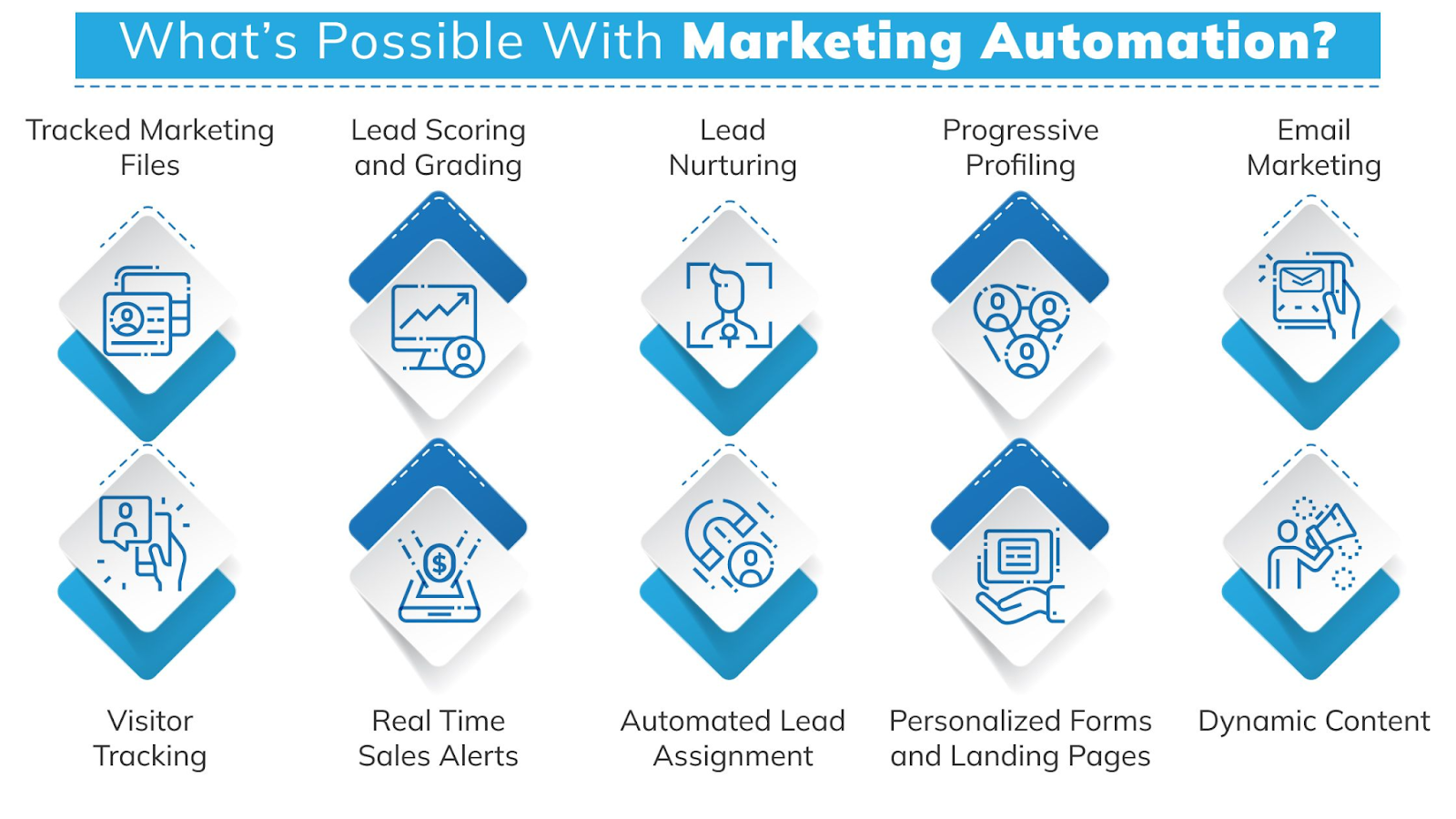
Further Reading: How to Automate Your Digital Marketing Agency Tasks and Workflows
How to Verify Real AI Integration?
When evaluating a development partner, agencies should look for clear signals that AI is embedded into the workflow.
1. AI Usage Across the Entire Development Lifecycle
A strong partner should be able to explain how AI supports each stage of the software development lifecycle. During requirements gathering, AI can help analyze inputs, structure documentation, and generate initial drafts of user stories or workflows. This is especially useful for agencies working with multiple clients, where clarity and speed are essential.
In the design phase, AI can assist with architecture suggestions, system flows, and identifying potential inefficiencies before development begins. During implementation, AI tools can support developers with code generation, refactoring, debugging, and maintaining consistency across large codebases.
In testing, AI can generate test cases, identify edge cases, and improve coverage without significantly increasing manual effort. In deployment and maintenance, AI can help monitor systems, detect anomalies, and recommend optimizations over time.
If a partner only mentions AI in the coding phase, it is a sign that adoption is limited.
2. Clear Tooling and Practical Use Cases
Another strong indicator of real AI usage is the ability to name tools and explain how they are used. Teams that actively use AI do not speak in vague terms. They can describe how specific tools fit into their workflow and what problems they solve.
For example, they may use AI within development environments to assist with code writing and debugging. They may rely on internal systems to ensure that generated code aligns with existing patterns. They may use automation tools to speed up testing and deployment.
If a partner avoids naming tools or gives overly generic answers, it suggests that AI is not deeply integrated.
3. Governance, Control, and Human Oversight
AI can introduce risks if it is not managed properly. This is particularly important for agencies, where errors can directly affect client deliverables. A reliable partner should have structured processes in place to manage these risks. This includes documented guidelines for how AI is used, clear review processes for AI-generated output, and defined responsibilities for quality and security.
Human oversight should not be optional. Every piece of AI-generated work should go through validation before it reaches production. Agencies should also look for evidence that the partner has considered issues such as data privacy, intellectual property, and long-term maintainability.
4. Measurable Outcomes and Real Impact
Claims about AI are easy to make. What matters is whether those claims are backed by measurable results. A strong partner should be able to connect AI usage to outcomes such as faster delivery, improved productivity, or better quality.
These outcomes should be reflected in real work. They may appear in case studies, internal benchmarks, or demonstrated workflows. If results are described in vague or general terms, it becomes difficult to assess whether AI is actually making a difference.
5. Investment in Internal Systems
The most advanced teams go beyond using individual tools. They invest in building internal systems that enhance how AI is used. This may include automation frameworks, knowledge systems that connect to codebases, or internal tools that standardize workflows.
These investments indicate that AI is not being treated as an experiment, but as a core part of the delivery model. For agencies, this level of maturity often translates into more reliable and scalable outcomes.
How AI-Assisted Development Supports Agency Use Cases?
To understand the real value of AI-assisted development, it is important to look at how it applies to common agency scenarios.
1. Building Internal Tools
Many agencies rely on internal tools to manage operations. These may include reporting dashboards, campaign tracking systems, or performance analytics platforms.
AI-assisted development can significantly reduce the time required to build and improve these tools. It allows agencies to move faster from idea to implementation, while maintaining a high level of quality.
2. Automating Repetitive Workflows
Automation is one of the most valuable areas for agencies. Tasks such as lead routing, CRM updates, reporting, and campaign triggers can consume a significant amount of time.
AI can help accelerate the development of these systems, making it easier to automate processes that would otherwise require manual effort. This not only improves efficiency but also reduces the risk of human error.
3. Rapid Prototyping and Validation
Agencies often need to present ideas to clients quickly. In many cases, having a working prototype is far more effective than presenting a concept. AI-assisted development makes it possible to build prototypes in a fraction of the time. This allows agencies to test ideas, gather feedback, and iterate quickly.
It also strengthens client confidence, as they can see and interact with real solutions.
4. Scaling Productized Services
As agencies grow, many look to create repeatable offerings or productized services. This may include SaaS platforms, standardized tools, or packaged solutions. AI can support this by enabling faster development, consistent architecture, and easier updates.
This makes it possible to scale services without significantly increasing complexity.
Common Pitfalls Agencies Should Avoid
While AI-assisted development offers many benefits, there are also potential pitfalls.
One common issue is overreliance on AI without proper validation. This can lead to inconsistent quality or hidden errors. Another risk is choosing a partner based on marketing claims rather than proven capability. This often results in unmet expectations.
Agencies should also be cautious of partners who cannot explain their processes clearly. Lack of transparency is usually a sign of weak implementation. Finally, it is important to consider long-term maintainability. Systems built quickly without proper structure can become difficult to manage over time.
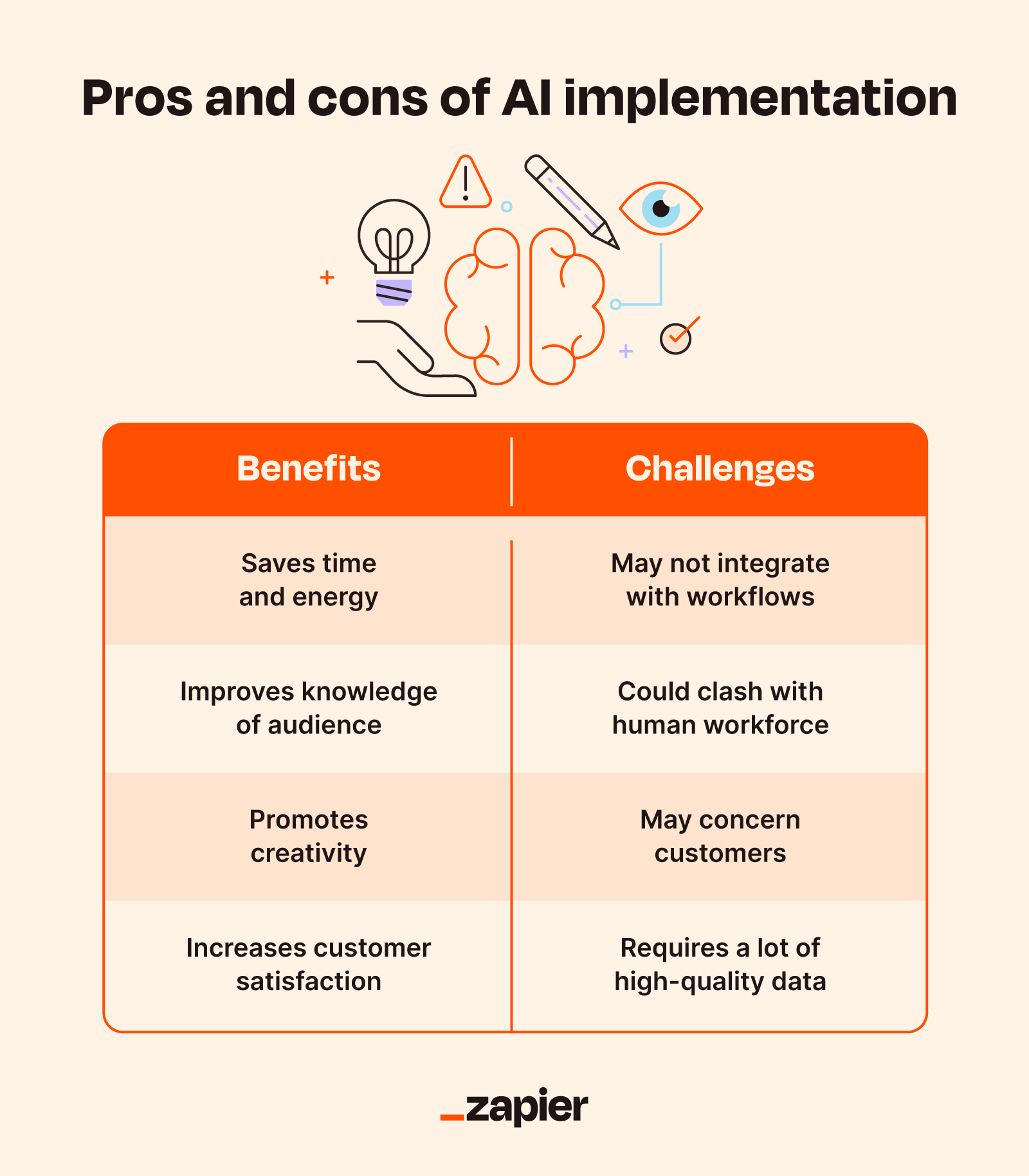
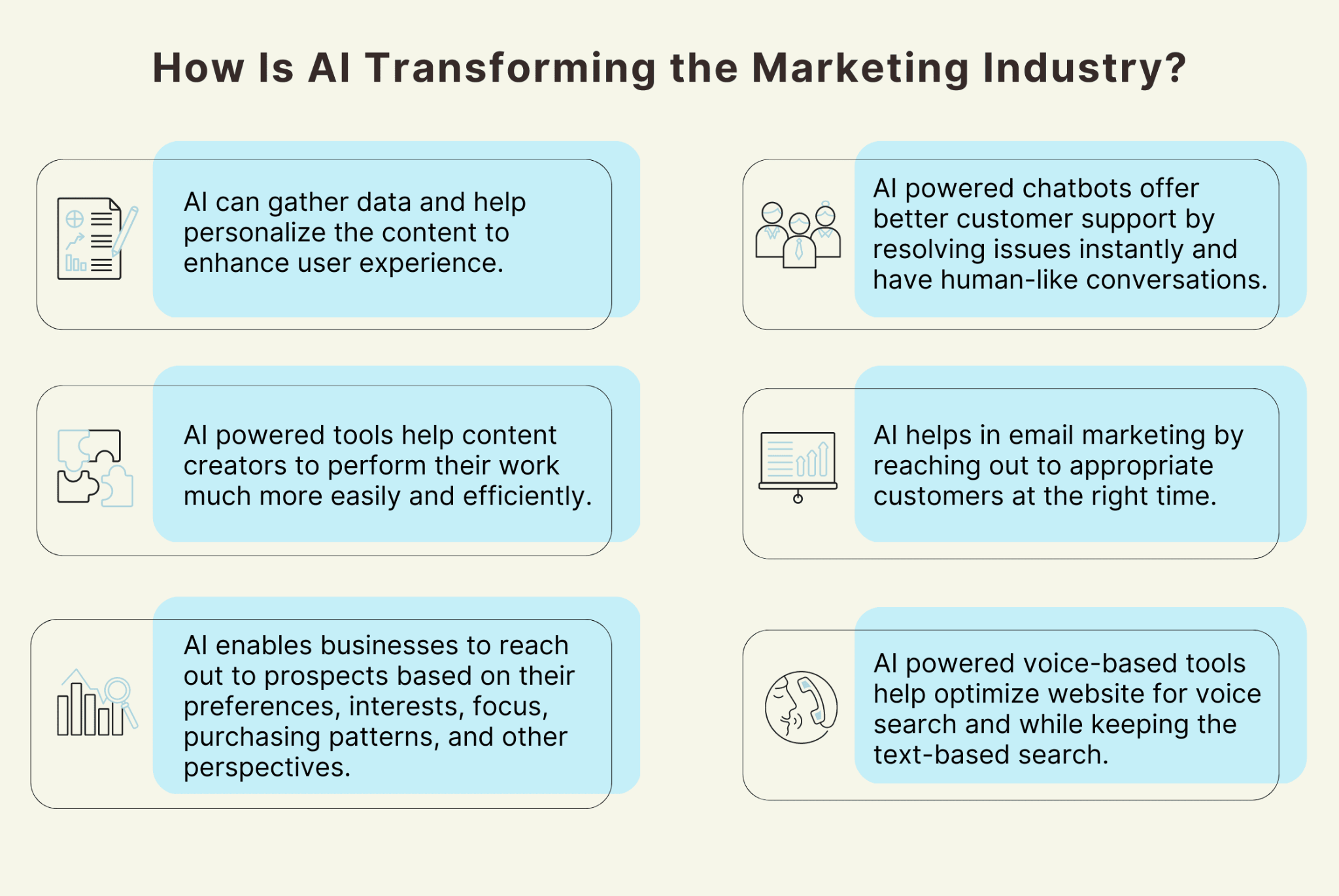
Image Source: Zapier
Further Reading: AI Tools: Pros and Cons for Marketing Agencies
Questions Agencies Should Ask Before Signing
To make informed decisions, agencies should ask targeted questions during the evaluation process.
Q1. What tools do your developers use on a daily basis, and how do they fit into your workflow?
Ans. This helps verify whether AI is actually used in practice.
Q2. How do you review and validate AI-generated code?
Ans. There should be a clear process for ensuring quality and security.
Q3. How do you manage risks such as incorrect outputs or technical debt?
Ans. A strong partner will have strategies in place to address these challenges.
Q4. Do you have a structured approach or policy for AI usage?
Ans. This indicates whether AI is treated as a system rather than an ad hoc tool.
Q5. How will your approach improve delivery for an agency like ours?
Ans. The answer should be specific to agency needs, not generic benefits.
The Role of AI in Agency Growth
AI-assisted development is not just about efficiency. It plays a broader role in how agencies evolve.
It enables agencies to expand their capabilities, offer new services, and improve client experiences. It supports faster execution, which is essential in a competitive environment. It also allows agencies to operate more strategically. Instead of focusing on repetitive tasks, teams can focus on higher-value work such as strategy, creativity, and client relationships.
However, these benefits depend on choosing the right partner. The wrong choice can create more problems than it solves.
Where DashClicks Fits into an AI-Assisted Agency Workflow?
For digital marketing agencies, the challenge is not just building tools but managing reporting, client communication, and day-to-day operations at scale. Platforms like DashClicks help bridge this gap by providing a structured operational layer alongside AI-assisted development.
Instead of rebuilding common systems such as reporting dashboards or client portals, agencies can rely on an integrated platform to handle:
- Automated reporting
- Client-facing dashboards
- Workflow and task management
- White-label service delivery
This allows development efforts to focus on custom solutions and differentiation rather than recreating standard functionality. When combined with AI-assisted development, this approach helps agencies move faster, reduce operational overhead, and maintain consistency across client work.
For decision-makers, this creates a more balanced approach where AI drives innovation, and a platform like DashClicks supports scalability and execution.
Final Thoughts
For digital marketing agencies, AI-assisted development is becoming an essential part of growth and scalability. The key is not to focus on who claims to use AI, but on who can demonstrate how it is integrated into real workflows.
Agencies should prioritize partners who are transparent, structured, and able to connect AI usage to measurable outcomes. By asking the right questions and focusing on verifiable practices, agencies can make informed decisions that support long-term success.
The difference between surface-level adoption and real integration is significant. It affects speed, quality, and the ability to scale. Choosing the right partner ensures that AI becomes a meaningful advantage, not just another line in a proposal.


Why Do Most Local Businesses Hit a Wall Around the Same Point?
There's a growth ceiling that appears in local businesses with surprising consistency. The first phase-getting to profitability, building a customer base, establishing operations that mostly work-gets done through effort and improvisation. The owner handles what the team can't. Problems get solved reactively. The business runs on individual heroics rather than systems.
That same shift-from reactive to structured-is exactly where platforms like Realmo are starting to play a role, helping businesses bring more clarity and consistency to decisions that were previously handled on instinct alone.
That model works fine up to a point. Then it stops working. The team gets larger, the customer volume increases, the complexity of managing multiple suppliers or locations or revenue streams grows past what one person's attention can handle-and suddenly what felt like momentum starts feeling like friction. Revenue plateaus. Quality becomes inconsistent. The owner is working more hours than ever and the business isn't growing proportionally.
The Environment Local Businesses Are Scaling Into
What's Different About 2026?
The competitive landscape for local businesses has shifted materially over the past several years in ways that aren't evenly distributed. Digital-first brands and national operators have become increasingly effective at competing locally - using geo-targeted advertising, local SEO, and same-day delivery infrastructure to reach customers who would previously have defaulted to the nearest physical option. The local advantage that proximity used to provide is narrower than it was.
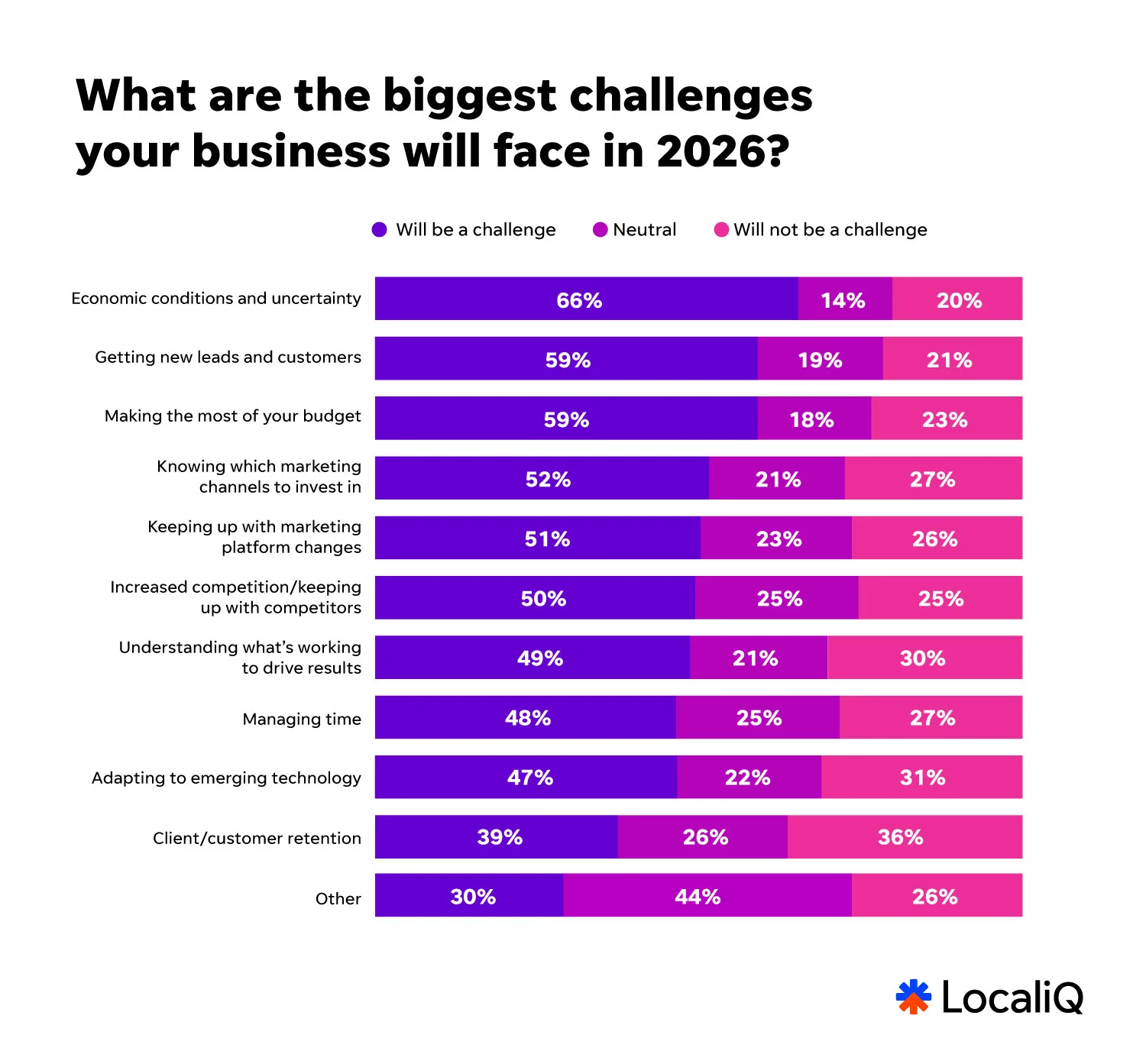
Image Source: LocaliQ
At the same time, the tools available to local businesses have caught up considerably. AI-driven marketing automation, sophisticated analytics platforms, and location intelligence software that previously required enterprise budgets are now accessible to small and mid-sized operators at reasonable cost. The gap between what a local business can do technically and what a large chain can do has closed significantly - but only for businesses that actually adopt and use these tools effectively.
Hybrid models have become the operational norm in most local business categories. Physical locations generate awareness and serve as fulfillment hubs; digital channels extend reach, support repeat purchasing, and capture customers who prefer to engage online first. Managing both effectively requires systems that connect them rather than treating them as separate operations.
The Cost Reality
Rising costs across rent, labor, and supplies mean that scaling without a deliberate efficiency strategy often just means growing the cost base proportionally without improving margins. The businesses that scale profitably are generally the ones that identify which parts of their operation can be systematized or automated before adding headcount or locations - not after.
This isn't just about cutting costs. It's about building the capacity to handle more volume with proportionally less management overhead, so that growth actually improves the economics of the business rather than just making it bigger.
Location Intelligence: The Foundation for Physical Expansion
Making Expansion Decisions With Data Instead of Instinct
For any local business that relies on physical presence - retail, services, food, fitness, healthcare - expansion decisions are among the most consequential and the most difficult to reverse. Signing a lease in the wrong location is an expensive, multi-year mistake. The traditional approach of relying on broker relationships and gut feel about a neighborhood has been largely replaced, at least among more sophisticated operators, by data-driven site analysis.
This is where a platform like Realmo changes the practical reality of expansion for local businesses. Rather than working through a broker who controls access to available inventory, business owners can search Realmo's marketplace of nearly 400,000 active commercial listings directly - filtering by location, property type, square footage, and price range - and immediately access detailed property profiles that include revenue potential estimates, demand signals, location intelligence data, and automated valuations.
The platform's TurboListing engine enriches each property entry with AI-generated insights that go well beyond the standard square footage and asking rent, surfacing the kind of contextual analysis - neighborhood saturation, foot traffic patterns, business gap opportunities - that used to require a dedicated site selection consultant to produce. And because Realmo doesn't paywall its core analytics, that level of research is accessible regardless of the size of the business doing the searching.
The Analysis Behind a Good Location Decision
The data that actually drives sound expansion decisions goes beyond square footage and rent. Useful location analysis layers in:
- Population density and demographic composition within the relevant trade area - the distance customers will realistically travel to use the business
- Household income distribution, which shapes both demand levels and price sensitivity
- Traffic patterns, both vehicular and pedestrian depending on business type
- Competitive presence - not just how many competitors exist but how well-served the existing customer base already is
- Proximity to complementary businesses that attract the same customer profile
This kind of layered analysis doesn't eliminate uncertainty - no site selection process does - but it significantly reduces the probability of expensive mismatches between a location's actual customer base and the business concept being placed there.
Marketing and Customer Acquisition
Local SEO Is the Highest-ROI Channel Most Businesses Underinvest In
For businesses that serve customers in a defined geographic area, local search visibility is the single most consistent source of qualified new customer acquisition. When someone searches for a service near them, the businesses that appear in the top results capture the overwhelming majority of that keyword intent. The ones that don't appear essentially don't exist to that customer at that moment.
Local SEO is not a one-time setup. It requires sustained attention to several interconnected factors:
- Accurate and complete business listings across Google, Bing, Apple Maps, and major directories - inconsistencies across these sources actively hurt search ranking
- Regular Google Business Profile updates with fresh content, photos, and service information that signal an active, well-maintained business
- Genuine customer reviews accumulated consistently over time - both volume and recency matter
- Location-specific content on the business website that targets the specific terms potential customers actually search for
The businesses that do this consistently - not just at launch but as an ongoing operational practice - tend to accumulate a durable advantage in local search that compounds over time and becomes increasingly difficult for newer competitors to displace.
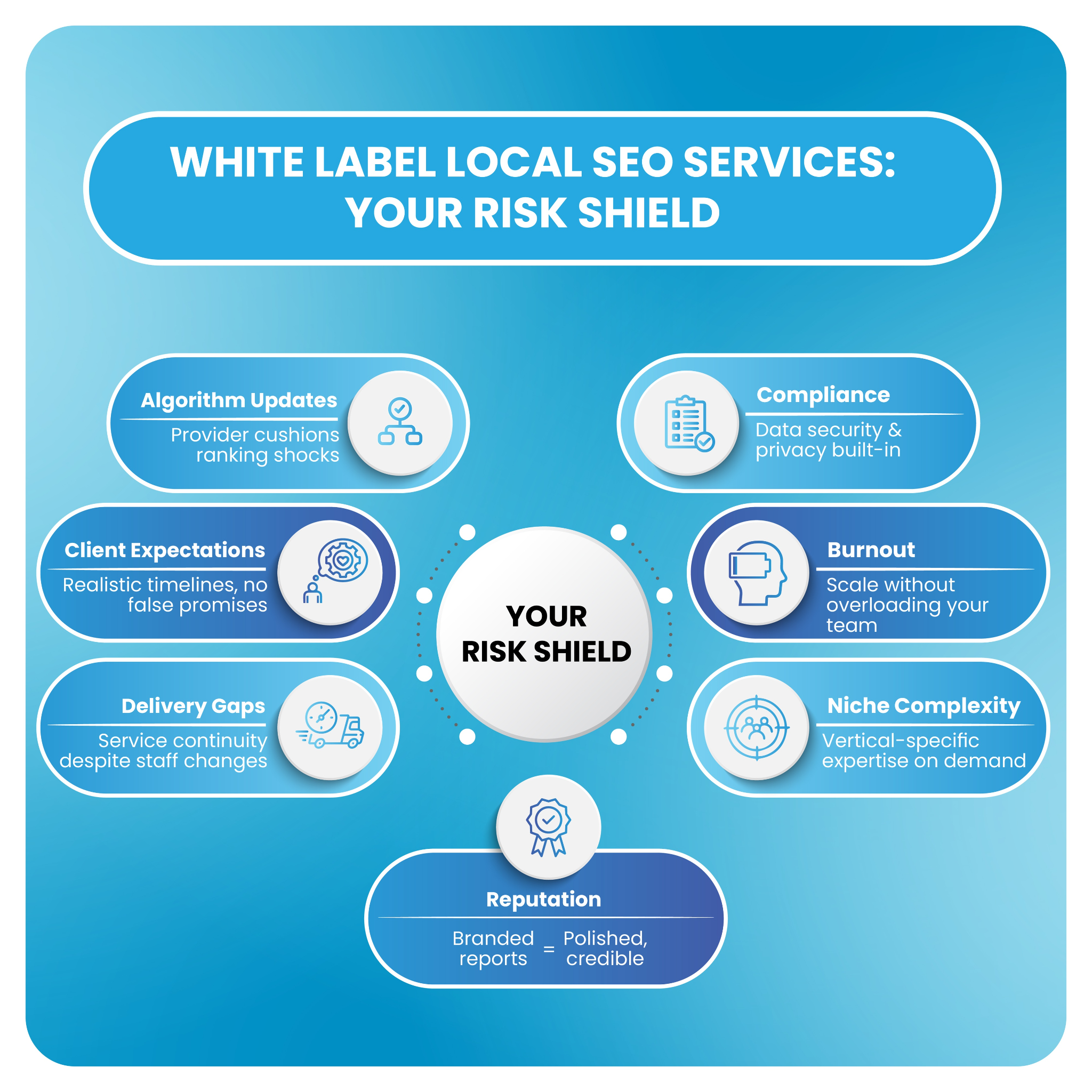
Managing all of these moving parts consistently can become complex as the business scales. Platforms like DashClicks help streamline local SEO efforts by centralizing listings management, automating reporting, and providing clear visibility into performance across locations. Their white label SEO services also allow businesses and agencies to scale fulfillment efficiently while maintaining consistent quality, making it easier to grow search visibility over time.
Paid Advertising for Local Reach
Local search advertising and social media targeting have become more capable and more cost-efficient for local businesses specifically. The ability to target ads by zip code, radius, demographic characteristics, and behavioral signals means that local businesses can reach exactly the customer profile they're trying to acquire without paying for irrelevant impressions.
The key discipline is treating paid advertising as a measurable investment rather than a cost. Setting clear cost-per-acquisition targets, tracking which campaigns and channels actually produce customers versus impressions, and reinvesting based on measured performance rather than creative intuition is what separates operators who use paid advertising profitably from those who spend without knowing whether it's working.
As campaigns scale across channels and locations, maintaining clear visibility into performance becomes critical. Platforms like DashClicks support this by offering white label Google Ads services, enabling businesses and agencies to manage, optimize, and scale paid campaigns efficiently while maintaining consistent reporting and performance tracking across accounts.
CRM: Where Customer Relationships Become Business Assets
Most local businesses underestimate how much revenue is sitting in their existing customer base waiting to be activated. A customer who has visited once, had a positive experience, and hasn't been heard from since is not a lost customer - they're a recoverable one. CRM systems make it possible to manage those relationships at scale rather than relying on individual memory.
The practical value of a CRM for a local business includes:
- Tracking customer purchase history and preferences to personalize outreach rather than sending generic broadcasts
- Automating follow-up sequences - post-visit check-ins, seasonal promotions, re-engagement campaigns for lapsed customers - that would be impossible to execute manually at any meaningful scale
- Identifying the customer segments that generate the most value and focusing acquisition efforts on finding more of them
- Building the customer data foundation that makes every subsequent marketing activity more effective
The compound effect of strong customer retention - customers who come back more often, spend more, and refer others - is typically worth far more than the equivalent investment in new customer acquisition. Businesses that build this capability early create a structural advantage that's genuinely hard for competitors to replicate quickly.
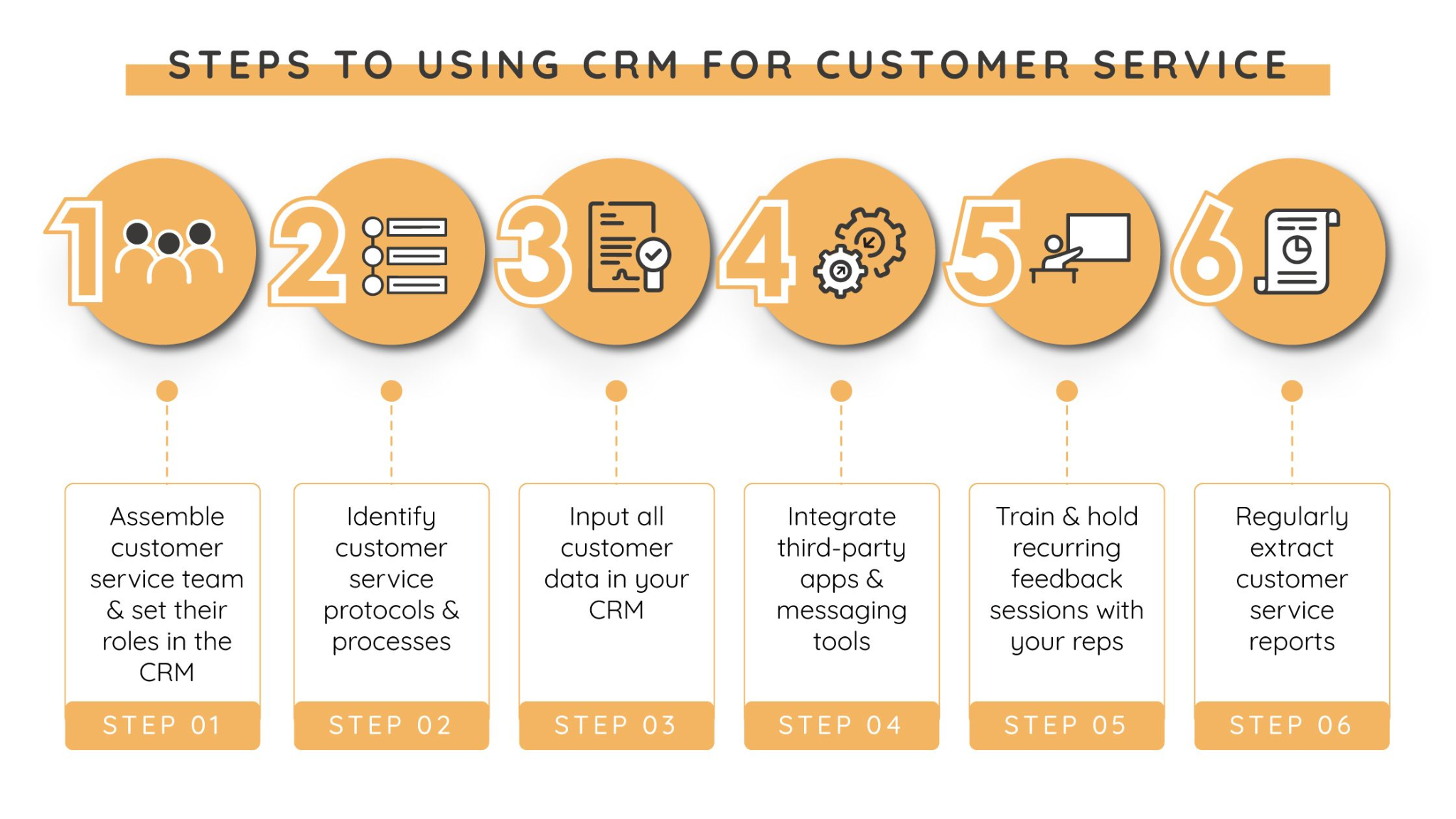
Managing customer relationships at this level of consistency becomes increasingly difficult without the right systems in place, especially as the customer base grows and interactions span multiple channels. Platforms like DashClicks offer CRM software that helps businesses centralize customer data, track interactions across touchpoints, and automate follow-ups such as re-engagement campaigns, appointment reminders, and personalized outreach.
This not only reduces the reliance on manual effort but also ensures that no opportunity for retention or upselling is missed. By structuring and systemizing customer relationship management, businesses can turn what is often a fragmented process into a predictable and scalable growth driver.
Operations and Automation
Removing the Manual Work That Doesn't Need Human Judgment
Operational automation isn't about replacing people - it's about redirecting their attention toward work that actually requires judgment, relationships, and problem-solving, rather than repetitive processes that a system can handle more reliably than a person can.
The categories of operational work that most consistently benefit from automation in local businesses:
- Customer communication - appointment reminders, order confirmations, service follow-ups, review requests - high-volume, low-variation messages that create friction when handled manually and create reliability when automated
- Reporting and performance tracking - dashboards that surface daily and weekly metrics without requiring someone to compile them, so that performance visibility is constant rather than episodic
- Scheduling and resource allocation - staff scheduling tools that account for demand patterns, time-off requests, and labor cost targets simultaneously rather than requiring manual reconciliation
- Order and inventory management - systems that track stock levels, trigger reorders, and surface discrepancies before they become operational problems
The test for whether to automate a process is simple: Is this work that requires human judgment on a case-by-case basis, or is it largely the same every time? If the answer is the latter, the question is why it isn't automated yet.
Inventory and Scheduling at Scale
Inventory management becomes non-trivial quickly for businesses that carry physical products across multiple locations. Without proper systems, stock discrepancies, out-of-stock situations, and over-ordering become persistent drains on both margin and customer experience. Modern inventory platforms integrate with point-of-sale systems to track stock levels in real time, flag reorder points automatically, and generate the purchasing data needed to negotiate better terms with suppliers.
Scheduling systems, similarly, create compounding value as headcount grows. Manual scheduling at ten employees is manageable. At thirty, across multiple locations and shift patterns, it becomes a significant source of inefficiency and conflict without proper tooling. Scheduling platforms that account for availability, skills, labor cost targets, and demand forecasts reduce the management time required while typically improving both coverage and employee satisfaction.
Financial Clarity as a Scaling Prerequisite
Seeing the Business Clearly Before Expanding It
The most common source of preventable scaling failures isn't bad marketing or operational problems - it's expanding without sufficient financial visibility. Businesses that don't have a clear read on their unit economics, cash flow position, and true profitability by location or product line routinely make expansion decisions that look reasonable on the surface and turn out to be financially unsustainable.
Financial tracking tools that provide real-time visibility into revenue, expenses, and margin - connected directly to bank accounts and point-of-sale systems rather than relying on manual updates - give operators the clarity needed to make confident expansion decisions. The question "can we afford to open a second location?" should be answerable with data, not with a general sense that things are going well.
Using Analytics to Find the Opportunities Hidden in Existing Operations
Business intelligence tools that aggregate data across marketing, operations, and finance surface patterns that wouldn't be visible looking at any single system in isolation. Which customer acquisition channels produce the highest lifetime value, not just the highest initial conversion? Which product or service lines are most profitable when fully loaded costs are accounted for? Which operational processes are producing the most variance - and therefore the most risk - as volume scales?
These questions matter more as the business gets larger, because the cost of operating with incorrect assumptions about them also gets larger. The businesses that build analytical capability early - even at a basic level - tend to make better decisions more consistently than those that rely on intuition even when the data to support better decisions is available.
Building a Tool Stack That Works Together
The most common mistake in building a business tool stack is selecting individual tools based on their standalone capabilities and discovering later that they don't communicate with each other. Data sits in silos. Reporting requires manual compilation. Staff learn multiple separate systems that share no logic. The cumulative overhead of managing a fragmented tool stack starts to offset the efficiency gains each tool was meant to provide.
Prioritizing integration - choosing tools that connect to existing systems via APIs or native integrations, and building the stack around a small number of central platforms that other tools feed into - creates a business where information flows coherently and decisions can be made with a complete picture rather than fragments.
This is where unified platforms become valuable. Solutions like DashClicks consolidate marketing data, reporting, and execution into a single interface, reducing fragmentation and helping businesses maintain a more connected and efficient tool stack.


Why and How to Use AI Tools in Design
The design industry has hit a major turning point. 71% of organizations now use generative AI regularly, jumping up from just 33% in 2023. Figuring out why and how to use AI tools in design isn't just about keeping up anymore—it's about staying competitive in a world where efficiency and creativity collide in ways we've never seen before.
The Current State of AI in Design: What's Changed in 2025
What felt like a gradual shift suddenly became everything. AI tools stopped being fun experiments and started creating professional-grade assets that actually meet industry standards. 78% of organizations worldwide now use AI in at least one part of their business, and design teams are leading the charge.
Looking specifically at creative professionals, 60-72% use general AI assistants, while 25-32% have adopted specialized creative tools. Canva dominates the specialized market with 44% share, followed by Gamma AI (20%), Leonardo AI (14%), and Midjourney (13%). But here's what's really interesting: AI features are now built directly into the platforms you already use through plugins and native tools. This makes adoption feel natural instead of disruptive.
Why Designers Should Embrace AI Tools?
1. Enhanced Creative Capabilities and Time Savings
AI completely transforms how you approach ideation. Instead of staring at a blank canvas, you're rapidly exploring variations and directions that might never have occurred to you otherwise. The real magic happens when you treat AI as your creative partner—you stay in control of the vision while AI handles the rapid iteration.
The time savings are pretty incredible. Creative professionals save 20% to 50% of their time, especially on content ideation, asset generation, and quick prototyping. Sage Publishing cut their content writing time by 99% and marketing costs by 50% using Jasper AI in 2024. Those tedious tasks that used to eat up hours—resizing graphics, tweaking layouts, creating content variations—now happen in seconds.
2. Data-Driven Design Decisions
Today's AI tools come packed with analytics that actually inform your creative choices. You don't have to guess which design direction will resonate with your audience anymore. You get real data about user preferences and engagement patterns. Buzz Radar proved this works by using IBM Watson analytics to save millions on digital campaigns through real-time optimization and smart spending decisions.
3. Competitive Advantage and Cost-Effectiveness
The designers who jumped on AI early have built serious advantages. Take 24Sales in Rotterdam—they cut their ICP creation from 40 hours to 5 hours monthly, saving $12,000 annually while producing eight times more client reports. If you're freelancing, this means accessing capabilities that used to require entire design teams. With 92% of companies planning to increase their generative AI investment over the next three years, it's clear where the industry is heading.

Understanding AI Tool Categories for Different Design Needs
1. Generative AI for Visual Content Creation
Image generation has come a long way from those obviously AI-generated images to professional-quality assets you'd be proud to present. Each platform has its sweet spot:
- Midjourney ($30-60/month) absolutely nails artistic, stylized imagery. The aesthetic quality and color harmony are exceptional. Perfect for concept art, branding work, and moodboards, though you'll need to get comfortable working through Discord.
- DALL-E 4 ($20-50/month via ChatGPT Plus/Teams) excels at photorealistic content and actually understands what you're asking for better than most tools. Plus, it handles text rendering well and comes with solid commercial licensing and legal protection. Great choice for business content, editorial work, and enterprise teams who worry about legal issues.
- Stable Diffusion 3.5 (free to $15-30/month) gives you incredible customization options. It's open-source, supports LoRA fine-tuning, and lets you train custom models. Perfect if you're technical and need custom brand styles or have data privacy concerns, though there's definitely a learning curve.
Logo generators like Looka and Brandmark can create professional logos in minutes. They won't replace custom brand development for major projects, but they're fantastic for starting points and work great for smaller businesses.
2. AI-Powered Design Systems and UI Tools
Figma AI plugins ($10-25/month per user) integrate seamlessly into your existing workflow. They're ideal for real-time prototyping, text-to-design, and auto layouts. Airbnb uses AI-driven design-to-code systems to turn hand-drawn wireframes into production-ready code, which dramatically speeds up prototyping and eliminates handoff errors.
Website builders like Framer AI, Webflow AI, and 10Web generate responsive layouts, suggest smart component arrangements, and optimize user flows based on proven best practices. You maintain creative control while AI handles the technical grunt work.
3. Content Creation and Marketing Design
Adobe Firefly ($20-50 as part of Creative Cloud) tackles that never-ending demand for social media graphics, ad variations, and promotional content. Since it's built right into Adobe's suite, it's perfect for automating bulk content, resizing everything, and instant rebranding at scale. The tight integration across Photoshop, Illustrator, and enterprise systems makes it a no-brainer for production work.
Creative automation tools have gotten sophisticated about maintaining brand consistency while cranking out hundreds of content variations. Marketing teams and production designers especially benefit from this high-volume approach.
Video and animation generators have democratized motion design. You can create professional animations from simple descriptions or static images, letting you offer clients motion work without needing specialized animation skills.
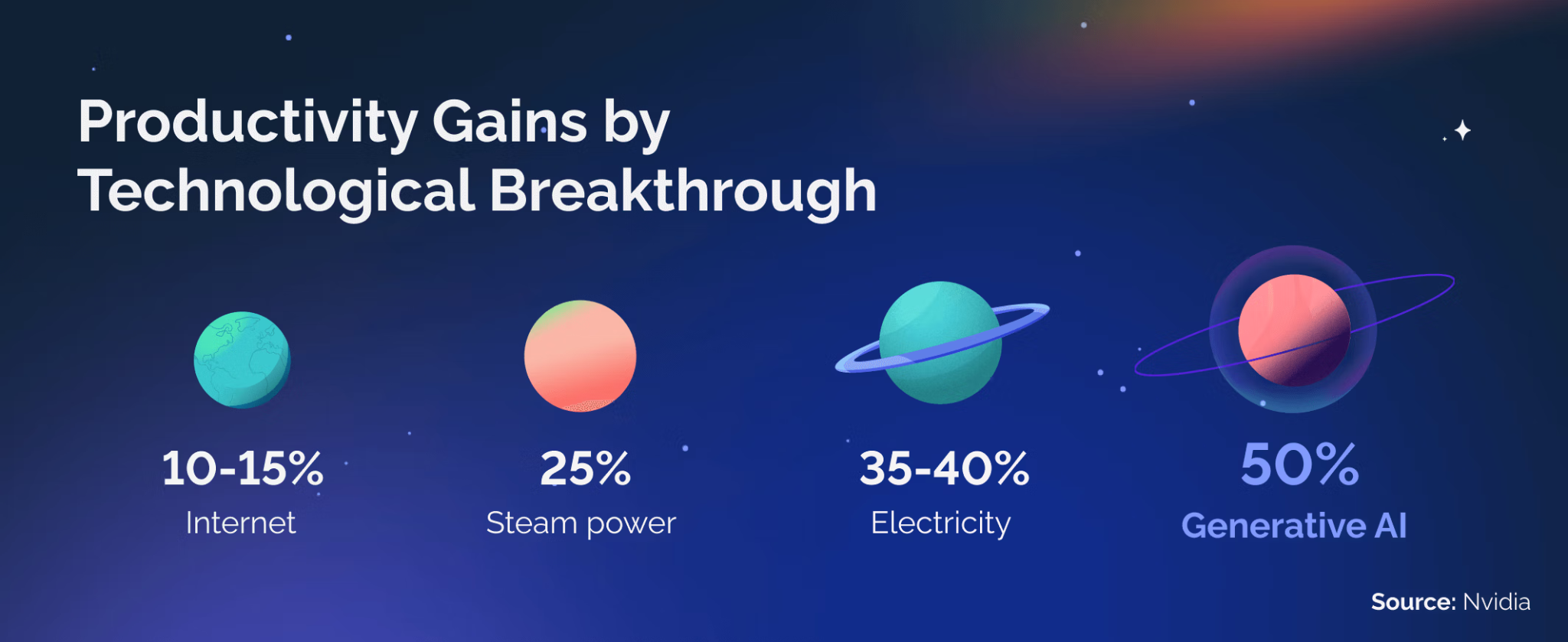
Image Source: Superside
Further Reading: 9 AI Tools for Media Creation
Step-by-Step Guide: How to Integrate AI Tools
1. Assessment, Planning, and Tool Selection
Start with an honest look at your current design process. Document how you actually spend your time, where things get stuck, and which tasks make you want to pull your hair out. Set clear, measurable goals like "cut asset production time by 40%" instead of vague hopes like "work faster."
Research tools that actually fit your specific needs and budget. Always start with free trials before spending money. Do the math on potential time savings—if a $50 monthly subscription saves you five billable hours per week, the ROI is obvious. Pick tools that play nice with your current design software instead of forcing you to change platforms.
Most designers find that three to five AI programs cover their main needs. A typical starter kit might include one image generation tool, one design system assistant, and one content creation platform.
2. Learning and Integration
Master prompt engineering—it's the skill that separates great AI results from mediocre ones. Good prompts create amazing output; vague prompts give you garbage.
Here's how prompts evolve:
Weak: "make a logo"
Better: "create a minimalist tech startup logo"
Strong: "minimalist geometric logo for eco-friendly tech startup, green and blue color palette, incorporating subtle leaf motif, vector style, white background, professional and modern"
The best prompts balance being specific with leaving room for creativity. Include technical specs like dimensions, color modes, and file formats right up front. Test multiple prompt variations for important projects and save the ones that work for future use.
Build AI into your daily workflow systematically instead of bouncing between old and new methods. Test on smaller, low-stakes projects first before using AI for client work. Document how you use AI tools so you can maintain consistent quality.
You can also streamline the workflow further using DashClicks’ project management software, which helps design teams organize deliverables, automate client updates, and monitor progress in real time — ensuring AI-generated assets flow smoothly from ideation to delivery.

Image Source: Superside
Best Practices for AI-Enhanced Design Work
1. Quality Control and Multi-Tool Strategies
Never publish AI-generated work without reviewing it first. AI tools sometimes make subtle mistakes—weird perspectives, anatomical errors, inconsistent lighting, or brand guideline violations. Set up quality checkpoints where you critically review output before moving forward.
Complex projects often work best when you combine multiple platforms. Generate initial concepts in Midjourney for that artistic quality, refine them in Photoshop with Firefly, and optimize final output with specialized tools. This way you get each platform's strengths while covering their weaknesses.
2. Ethical Considerations and Transparency
Understand the copyright implications of AI-generated content. DALL-E offers legal protection and comprehensive commercial licensing, while Stable Diffusion's open-source nature gives you different rights. Read the terms carefully before using AI tools for client work.
Be upfront with clients about using AI in your process. Most clients care about results, not methods, but honesty builds trust. Position AI as a tool you use to deliver better results faster, just like you'd mention using Photoshop or other professional software.
Getting Started: Your 30-Day AI Design Implementation Plan
Week 1: Research and Tool Selection
Spend this week exploring AI design tools without pressure to create finished work. Sign up for free trials of platforms that address your main needs. Watch tutorials, read documentation, and join user communities to speed up your learning.
Pick three core tools to focus on first. Choose platforms that complement each other rather than doing the same things. Document your current workflow metrics as a baseline—track how long typical projects take and how many revisions you typically need.
Week 2: Setup and Initial Learning
Set up your chosen tools with brand guidelines, preferred styles, and default settings. Work through tutorials and quick-start guides from the tool makers. Practice prompt engineering with different instruction styles to understand how each tool interprets what you're asking for.
Create sample projects just for learning, not for clients. Generate logos, website layouts, marketing graphics, and other stuff you create regularly. Compare AI results with your traditional approach to see where AI adds the most value.
Week 3: First Projects and Experimentation
Start applying AI tools to real project work, but focus on components rather than entire projects. Use AI for brainstorming options, creating background elements, or producing content variations. Keep your traditional workflow as backup while you build confidence.
Try combining tools on a single project. Generate concepts with image AI, refine them in your design software, and use content automation for deliverable variations. Get feedback on AI-enhanced work from trusted colleagues or clients to calibrate your quality standards.
Week 4: Workflow Integration and Optimization
Make AI tools part of your standard workflow instead of occasional alternatives. Commit to using AI for specific types of tasks consistently. Refine your processes based on three weeks of experience—adjust which tools you use for what, optimize your prompt templates, and streamline your review process.
Measure your results against baseline metrics. Calculate time savings, quality improvements, and productivity gains. Set goals for next quarter based on what you've learned—maybe expand your toolkit, master advanced features, or apply AI to new types of projects.
Future of AI in Design: What to Expect
The trend is pointing toward even deeper integration. AI capabilities will become less about separate tools and more about intelligent features built right into design software. These systems will understand project context, learn your style preferences, and proactively suggest improvements.
The skills designers need keep evolving. Technical prompt engineering, AI quality assessment, and strategic technology selection are becoming as important as traditional design skills. The most successful designers will blend creative expertise with tech fluency, using each to enhance the other. Master AI-powered design now, and you'll be positioned at the forefront of where the industry is heading, ready for whatever capabilities come next.


Why Marketing Agencies Need Robust Software Testing for Their Tools
Marketing agencies today depend on a wide range of tools to handle their daily operations. From campaign management to analytics, scheduling to client communication, these tools are the backbone of their work. But what happens when one of these tools fails? A software bug or error can bring an entire process to a halt, affecting productivity, client relationships, and even revenue.
This is where robust software testing becomes essential. Testing ensures that these tools function seamlessly, providing marketing agencies with the reliability they need to perform at their best. In this blog, we will explore why software testing is crucial for marketing agencies, what benefits it offers, and how agencies can integrate testing into their workflow effectively.
The Importance of Marketing Tools
Marketing agencies rely on tools for a variety of tasks, such as:
- Managing multiple campaigns at once.
- Tracking key performance metrics.
- Engaging with clients and customers.
- Automating repetitive tasks like posting on social media or sending emails.
- Collaborating with team members.
These tools are designed to make life easier, but they come with challenges. A small error or glitch can disrupt workflows, delay projects, or lead to incorrect results. For instance, imagine using a tool to track your ad performance, only to find out that it reports the wrong data.
Without reliable tools, marketing agencies cannot meet deadlines, make informed decisions, or deliver quality services. This is why having tools that are free from errors is non-negotiable—and software testing is the best way to ensure that.
What Is Software Testing?
Software testing is the process of evaluating an application or tool to ensure that it performs as expected. It identifies bugs, checks usability, and confirms that the tool meets the user’s requirements. For marketing agencies, this means ensuring tools work efficiently and deliver accurate results, even under heavy use.
Software testing can involve:
- Checking for errors that might cause the tool to crash.
- Testing the tool's performance under different conditions.
- Ensuring that the tool works across various devices and platforms.
- Verifying that the tool is secure and protects sensitive data.

Image Source: Go Wombat
By investing in robust testing and leveraging the right software testing tools, marketing agencies can avoid unexpected issues that might arise after a tool is launched.
Why Marketing Agencies Need Software Testing?
Here are some reasons why testing is critical for marketing agencies:
- Ensures Accuracy: Marketing relies heavily on data. Analytics tools, CRM systems, and tracking platforms must provide accurate information for decision-making. Testing helps ensure the data you see is correct and reliable.
- Prevents Downtime: A tool that crashes or stops working can bring operations to a halt. Downtime is costly, especially when you are managing time-sensitive campaigns. Software testing minimizes the risk of such disruptions.
- Protects Client Relationships: Clients trust marketing agencies to deliver results. If a tool produces errors or causes delays, it can damage that trust. Robust testing ensures that tools perform flawlessly, keeping clients satisfied.
- Enhances Security: Marketing tools often store sensitive information, including client data, campaign details, and financial records. Testing ensures these tools are secure and protected against potential breaches.
- Improves Team Efficiency: When tools work as expected, teams can focus on their tasks without wasting time troubleshooting problems. This leads to increased productivity and better results.
The Risks of Skipping Software Testing
Skipping software testing can lead to a host of problems, such as:
- Frequent Crashes: Unstable tools can disrupt workflows and frustrate users.
- Slow Performance: A lagging tool can slow down entire projects.
- Incorrect Analytics: Poorly tested tools might provide inaccurate data, leading to wrong decisions.
- Compatibility Issues: Tools that do not work on all devices or browsers can alienate some users.
- Security Vulnerabilities: Without proper testing, sensitive data may be at risk of breaches.
These issues can snowball into bigger problems, affecting the agency’s reputation and financial performance.
Benefits of Robust Software Testing
Let us dive deeper into the specific benefits that robust testing offers to marketing agencies:
- Better Performance: Testing ensures tools can handle heavy workloads and run smoothly, even during peak times. This is especially important for marketing agencies juggling multiple campaigns at once.
- Higher Client Satisfaction: Reliable tools mean timely results, accurate data, and smooth workflows. Clients notice and appreciate these qualities, which strengthen your agency’s reputation.
- Cost Savings: Finding and fixing bugs early in the development phase is far cheaper than addressing them later. Testing helps agencies avoid costly fixes after launch.
- Compliance with Regulations: Many tools need to meet data protection regulations like GDPR. Testing ensures compliance, reducing the risk of legal issues.
- Competitive Edge: Agencies using robust and reliable tools can deliver better results faster. This gives them an edge over competitors struggling with unreliable systems.
Types of Software Testing Marketing Agencies Should Use
Not all testing is the same. Depending on the tool, marketing agencies might need different types of testing, such as:
- Functional Testing: Ensures the tool performs all its intended functions correctly.
- Performance Testing: Checks how the tool behaves under heavy use or challenging conditions.
- Security Testing: Identifies vulnerabilities and ensures the tool protects sensitive data.
- Usability Testing: Focuses on the user experience, making sure the tool is easy to navigate and understand.
- Cross-Platform Testing: Verifies that the tool works across different devices, operating systems, and browsers.
By combining these methods, agencies can ensure their tools are ready for any challenge.
How Marketing Agencies Can Implement Testing?
Now that you know the importance of software testing and QA services, let us look at how you can implement it effectively:
- Start Early: Begin testing during the development phase to catch issues early.
- Use Automation Tools: Automation speeds up testing and ensures thorough coverage.
- Test in Real Conditions: Simulate real-world scenarios to identify potential problems.
- Regular Updates and Retesting: Tools need updates to stay relevant. Test them again after each update to ensure they still work as intended.
- Involve Your Team: Encourage your team to report any issues they encounter while using the tools.

Image Source: Maruti TechLabs
Why Testing Is an Ongoing Process?
One mistake agencies often make is treating testing as a one-time task. In reality, testing should be ongoing. Marketing tools evolve over time, with new features, updates, and user needs. Each change introduces the risk of new issues.
To stay ahead, agencies should:
- Perform regular testing.
- Monitor user feedback to identify areas of improvement.
- Stay updated on the latest testing methods and tools.
This continuous approach ensures that your tools remain reliable and effective in the long run.
Common Challenges and How to Overcome Them
Even with the best intentions, testing can have its challenges. Here are some common ones and how to tackle them:
- Lack of Time: Testing may feel like an extra task, but skipping it often leads to bigger problems. Schedule regular testing to avoid last-minute panic.
- Limited Budget: Not all testing requires expensive tools. Many free or affordable options can still deliver good results.
- Technical Knowledge: If your team lacks technical expertise, consider outsourcing testing to professionals or investing in user-friendly tools.
- Resistance to Change: Teams may resist adopting new testing practices. Provide training and demonstrate the long-term benefits to encourage acceptance.
- Inadequate Test Planning: Poor planning can lead to missed issues. Develop a clear testing strategy with defined goals and timelines for effective results.
DashClicks: A Trusted Provider of Marketing Tools for Agencies
When it comes to reliable marketing solutions, DashClicks stands out as a trusted provider of cutting-edge tools designed specifically for agencies. DashClicks offers a comprehensive suite of tools to help agencies streamline their workflows, manage campaigns, and deliver exceptional results to clients.
From robust analytics and CRM systems to automation tools for tasks like reporting and client communication, DashClicks empowers agencies to focus on growth rather than technical hiccups.
By integrating robust software testing into its development process, DashClicks ensures its tools are reliable, secure, and ready to handle the dynamic needs of the marketing world. With its commitment to quality and innovation, DashClicks is the go-to partner for agencies aiming to stay ahead in a competitive landscape.
Final Thoughts
Marketing agencies are only as good as the tools they use. In a competitive industry, even a small glitch can have major consequences. That is why robust software testing is not just important—it is essential.
By testing tools thoroughly and regularly, agencies can ensure smooth operations, maintain client trust, and save time and money. More importantly, testing allows agencies to focus on what they do best: delivering creative, impactful marketing campaigns.
So, do not wait for a problem to arise. Start testing your tools today and give your agency the strong foundation it needs to succeed. After all, the best campaigns are built on reliable systems.
What steps will you take to make your tools more reliable? Share your thoughts and experiences with us!

No results found.
Please try different keywords.
Get Started with
DashClicks Today
Get found online, convert leads faster, generate more revenue, and improve your reputation with our all-in-one platform.
.svg)
Unlimited Sub-Accounts
Unlimited Users
All Apps
All Features
White-Labeled
Active Community
Mobile App
Live Support
100+ Tutorials
Unlimited Sub-Accounts
Unlimited Users
All Apps
All Features
White-Labeled
Active Community
Mobile App
Live Support
100+ Tutorials
Unlimited Sub-Accounts
Unlimited Users
All Apps
All Features
White-Labeled
Active Community
Mobile App
Live Support
100+ Tutorials


