

.svg)

.svg)
.svg)
.svg)
.svg)
.svg)
Digital marketing agencies handle plenty of work that has nothing to do with creating ads or optimizing campaigns. Client agreements need signatures, onboarding documents need to be completed, proposals need last-minute edits, and campaign reports may need to be reviewed before they reach the client.
For a small or growing agency, these tasks are often handled by account managers, project managers, or operations teams rather than a dedicated IT department. That makes simplicity important. A team member should be able to open a PDF, make a change, fill out a form, or sign a document without needing technical help.
A tool that lets you edit PDF files and sign them without training is what this question is really asking for. This guide compares the easiest options for editing and signing without IT help. But the best option isn't necessarily the one with the longest feature list. For agencies, usability, browser access, collaboration, signing, pricing, and how easily the tool fits into existing workflows can matter more.
This guide compares six PDF tools with digital marketing agencies in mind and looks at where each one fits into the broader client workflow.
What Should a Digital Marketing Agency Look for in a PDF Tool?
A PDF tool that works well for an individual user may not necessarily be the best choice for an agency. Teams have to consider how documents move between employees, clients, and other systems.
- Ease of use: PDF tasks are often handled by people who aren't technical specialists. Account managers and operations staff should be able to find the tools they need without spending hours learning the software.
- Editing and signing: Editing a document and getting it signed are often connected tasks. If a team has to edit a PDF in one application and then move it into another application for signing, a simple document workflow can quickly become more complicated.
- Browser access: Browser-based tools can be particularly convenient for agencies with remote or distributed teams. Employees can work with documents without installing desktop software on every computer.
- Collaboration: Documents can pass through several hands before they're finished. An account manager might prepare a proposal, a manager might review it, and the client might then need to sign it. Sharing and collaboration features can make these handoffs easier.
- Pricing: Agencies already pay for numerous software subscriptions. A PDF tool should provide enough value for the amount of document work the team actually does.
- Fit with the wider workflow: A PDF doesn't exist in isolation. A client agreement might be part of onboarding, while a campaign report might be part of an ongoing reporting process. The easier it is to connect document work with the rest of the agency's workflow, the less time teams spend switching between unrelated tools.
Common PDF Tasks for Digital Marketing Agencies
PDF work may not be the agency's main activity, but it appears throughout the client lifecycle.
1. Client Onboarding
A new client may need to complete forms, provide business information, sign agreements, or submit other documents before work begins.
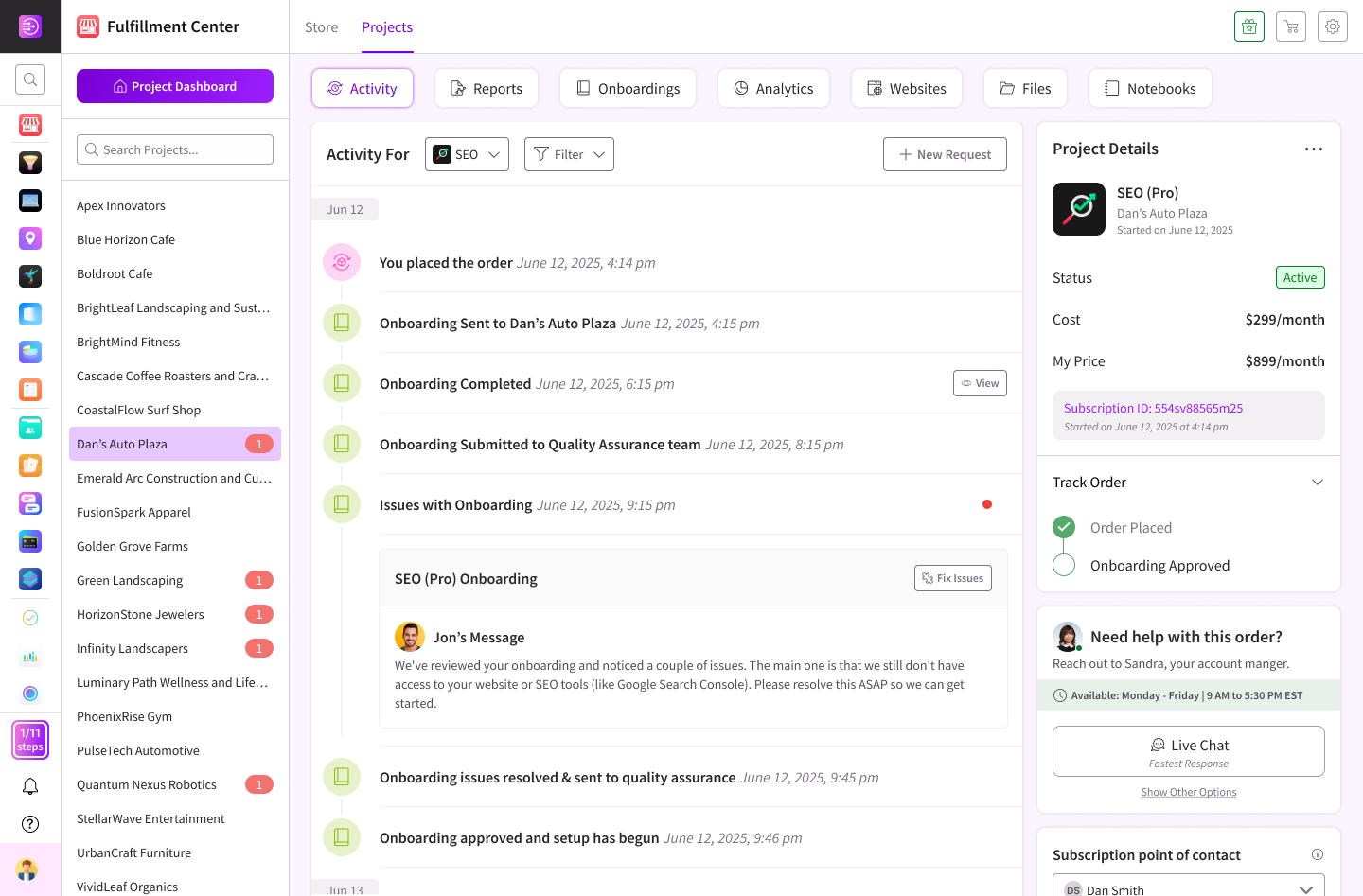
A PDF editor is useful when information arrives as a PDF, but agencies can also reduce unnecessary document exchanges by collecting information digitally in the first place. For agencies that use customizable forms to collect information during onboarding, DashClicks’ forms management software is one example of a tool that can complement the document workflow.
The important distinction is that not every piece of information needs to become a PDF. Collecting structured information through a form can make the process easier to manage, while a PDF tool remains useful for documents that actually require editing or signing.
2. Contracts and Agreements
Client agreements are one of the most straightforward PDF use cases. An agency may need to make a correction, complete a field, add a signature, or send the final document to another party.
For these tasks, speed matters. Spending several minutes figuring out how to perform a basic edit isn't a good use of an account manager's time.
3. Proposals and SAtatements of Work
Proposals sometimes need changes shortly before they're sent to a prospective client. A PDF editor can be useful when the final document needs a small correction without rebuilding the entire file.
The same applies to statements of work and other client-facing documents where the final version needs to look polished and professional.
4. Campaign Reports
Reporting creates another common PDF workflow. An agency may generate a campaign report, review it internally, make final adjustments, and then send it to the client.
A PDF editor can handle those final changes, while a reporting platform can address the larger process of generating the report in the first place. DashClick’ InstaReports software, for example, is designed around quickly generating agency reports, making it relevant to agencies where reporting is a recurring part of client communication.
The PDF tool and reporting platform solve different parts of the same workflow.
5. Invoices and Forms
Agencies may also encounter invoices, approval forms, tax documents, and other administrative PDFs. These aren't necessarily complicated documents, but they still need to be completed accurately and returned quickly.
A straightforward PDF tool can keep these small administrative tasks from becoming unnecessary interruptions.
6. Internal Documents
PDFs aren't only used for clients. Agencies may also maintain SOPs, checklists, approval documents, and other internal resources.
For these documents, editing and annotation features can be more important than advanced client-facing functionality.
6 Easiest PDF Tools for Digital Marketing Agencies
1. Lumin
Lumin is a browser-based PDF workspace that combines editing, annotation, collaboration, and eSignatures. This makes it particularly relevant to agencies that regularly move between editing documents and getting them signed.
For example, an account manager could need to make a correction to a client document before sending it for signature. Having those capabilities available within the same broader workspace can reduce the need to move the file between separate applications.
Lumin also supports working with PDFs from Google Drive, making it relevant for agencies already using Google-based document workflows.
- Best for: Agencies that regularly edit and sign client documents.
- Standout: Editing, collaboration, and eSignatures within one workspace.
- Free tier: Available with basic functionality.
- Pricing: Free and paid plans are available.
- Potential drawback: Teams with heavier document requirements should review the limits and features of each plan.
Lumin is particularly suited to agencies where PDF work is a recurring part of client operations rather than an occasional one-off task.
2. Smallpdf
Smallpdf takes a straightforward, task-based approach to PDF work. Its interface is designed to help users find a particular PDF function and complete it without navigating a complex application.
That can work well for agencies where employees occasionally need to compress, convert, merge, or make a quick change to a PDF.
- Best for: Agencies handling occasional, individual PDF tasks.
- Standout: Simple interface focused on individual PDF actions.
- Free tier: Available with limitations.
- Pricing: Paid plans are available.
- Potential drawback: Agencies looking for a broader document workspace may want more than a collection of individual PDF utilities.
Smallpdf is a practical choice when simplicity matters more than having an extensive document-management environment.
3. iLovePDF
iLovePDF provides a broad collection of PDF tools, including options for editing, converting, merging, splitting, compressing, and signing documents.
This range can be useful for agencies because PDF requirements aren't always predictable. One employee might need to compress a report, another might need to merge documents, and someone else might need to prepare a file for signing.
- Best for: Agencies that need a wide range of PDF utilities.
- Standout: Large collection of PDF tools in one service.
- Free tier: Available with limitations.
- Pricing: Paid plans are available.
- Potential drawback: Its tool-based approach may feel less like a continuous workspace than platforms focused on document collaboration.
For agencies that regularly encounter different types of PDF tasks, the breadth of available tools can be useful.
4. DocHub
DocHub is worth considering for agencies that rely heavily on Google Drive and cloud-based document workflows.
Its appeal comes partly from familiarity. Teams already working extensively with Google-based documents may find it easier to incorporate a PDF workflow into the systems they already use.
- Best for: Agencies with Google-centered document workflows.
- Standout: Convenient fit for cloud-based document processes.
- Free tier: Available.
- Pricing: Paid plans are available.
- Potential drawback: Its biggest advantage is likely to be for teams already invested in Google-based workflows.
For those agencies, minimizing the number of completely new systems employees have to learn can be valuable.
5. PDFgear
PDFgear is an option for agencies that want access to core PDF functionality without adding another conventional paid subscription to their software stack.
Its free approach can be attractive to smaller agencies or individual team members who don't work with PDFs frequently enough to justify another recurring expense.
- Best for: Cost-conscious agencies and occasional PDF users.
- Standout: Core PDF functionality available without a conventional subscription cost.
- Free tier: Core tools are available for free.
- Pricing: Core functionality is free.
- Potential drawback: Agencies evaluating it for broader team use should consider whether its collaboration and administrative capabilities meet their needs.
PDFgear makes the most sense when keeping software costs low is a priority.
6. Adobe Acrobat
Adobe Acrobat is the most established advanced option in this comparison and offers a much broader collection of PDF capabilities.
Its feature set includes editing, conversion, forms, signatures, document protection, and other advanced functionality. That can make it useful for agencies with complex document requirements.
The tradeoff is that a more extensive feature set can also mean more functionality to learn and manage.
- Best for: Agencies with advanced PDF requirements.
- Standout: Extensive PDF editing, forms, signing, and document capabilities.
- Free tier: Limited online PDF functionality is available.
- Pricing: Paid plans are available.
- Potential drawback: Smaller agencies with basic PDF needs may not need the full feature set.
If PDF work is a significant part of an agency's operations, Acrobat's depth may justify the additional complexity. For occasional editing and signing, a simpler tool may be enough.
Which PDF Tool Is Best for Different Agency Needs?
There isn't one PDF tool that makes sense for every digital marketing agency.
- For editing and signing in one workflow: Lumin is a strong option for agencies that regularly handle both tasks.
- For quick individual PDF tasks: Smallpdf is a good fit when employees usually need to perform one specific operation at a time.
- For a broad selection of PDF utilities: iLovePDF is useful when teams frequently encounter different PDF requirements.
- For Google-centered workflows: DocHub can be worth considering when Google Drive is already a major part of the agency's document workflow.
- For free core functionality: PDFgear is an option for agencies looking to minimize recurring software costs.
- For advanced PDF requirements: Adobe Acrobat is better suited to teams that need extensive document functionality.
The important question isn't which tool has the most features. It's which one handles the PDF tasks your team actually performs without adding unnecessary steps.
Why Simpler Document Workflows Matter for Agencies?
PDF editing might seem like a small operational issue. But agencies are made up of hundreds of small processes.
An employee spends a few minutes editing a document. Someone else reviews it. Another person sends it to the client for signing. The signed document then needs to be stored, the client needs to be onboarded, and the work itself needs to begin.
The individual steps are small. The accumulated friction isn't.
This is why it can be useful to think about PDF tools as part of a larger workflow rather than as isolated software.
A signed agreement, for example, usually represents the beginning of an active client relationship. Once the paperwork is complete, someone still needs to organize the work, assign responsibilities, and keep the project moving. A tool such as DashClick’ project management software can address that next stage, while its contacts management software can help agencies manage the client relationship surrounding the work.
The same principle applies to reporting. A PDF editor can help prepare the final document, but agencies also need an efficient way to create and deliver the information that goes into those reports.
The goal isn't to eliminate every specialized tool. It's to reduce unnecessary friction where several parts of an agency's workflow can be handled more simply.
As an agency grows, those small improvements can become increasingly valuable.
Final Thoughts
The best PDF tool for a digital marketing agency depends on how the team actually handles documents.
Smallpdf and iLovePDF make sense for agencies that mostly need quick, individual PDF tasks. PDFgear is worth considering for teams looking for free core functionality, while DocHub can be a natural fit for agencies already working heavily with Google-based documents. Adobe Acrobat remains a strong option for agencies with more advanced PDF requirements.
For agencies that frequently need to edit and sign documents in the same workflow, Lumin is a particularly relevant option.
But the PDF tool is only one part of the equation.
Client documents sit inside larger processes involving onboarding, client management, project execution, and reporting. The more smoothly those processes connect, the less time an agency has to spend switching between disconnected systems.
Before adopting any PDF tool across the agency, test it with a real document. Give it to someone who hasn't used the platform before and ask them to complete a typical task without assistance.
If they can edit, complete, and sign the document without having to stop and figure out how the software works, you've probably found a tool that fits the agency's workflow.
FAQ
Q1. Which PDF tool is easiest for a digital marketing agency?
Ans. It depends on the type of PDF work the agency performs. Smallpdf and iLovePDF are well suited to straightforward individual tasks, while Lumin is worth considering for agencies that regularly need to edit and sign documents within the same workflow.
Q2. Can agencies edit and sign PDFs without IT support?
Ans. Yes. Several modern PDF tools are designed to make editing and signing accessible without requiring specialized technical knowledge. Browser-based tools can be particularly convenient because employees don't necessarily need to install dedicated desktop software.
Q3. What PDF documents do digital marketing agencies commonly handle?
Ans. mAgencies may work with client agreements, proposals, statements of work, onboarding forms, campaign reports, invoices, approval documents, and internal SOPs. The exact documents vary depending on the agency's services and client workflow.
Q4. Should a small agency pay for a PDF tool?
Ans. Not necessarily. If the agency only handles a few PDFs each month, a free plan may be sufficient. A paid tool becomes easier to justify when employees regularly edit or sign documents or need additional collaboration and workflow features.
Q5. How should an agency test a PDF tool before adopting it?
Ans. Use a real document rather than a sample file. Ask someone unfamiliar with the tool to complete a typical workflow, such as editing the document, filling in information, and signing it. Pay attention to how many steps they need and whether they require assistance.
That gives you a better indication of practical usability than simply comparing feature lists.
Q6. Do agencies need a separate tool for every document workflow?
Ans. Not necessarily. Some specialized tools can be useful for specific tasks, but agencies should also consider whether related workflows can be consolidated. For example, document signing may be one task, while client management, project execution, and reporting happen around it. Reducing unnecessary movement between tools can make the overall workflow easier to manage.


.svg)


.svg)
.svg)
.svg)
.svg)
.svg)