

.svg)

.svg)
.svg)
.svg)
.svg)
.svg)
Client retention is where agency revenue is actually built.
Getting a new client costs five to seven times more than keeping an existing one. Most agencies know this. Most still spend the majority of their energy on acquisition anyway.
The ones that scale sustainably do something different. They build systems around client experience, not just campaign delivery. And right now, the most overlooked system in any agency is customer support.
Not their clients' support. Their own.
How fast does your agency respond to client questions? How consistently? What happens when a client emails at 9 pm on a Friday?
That gap between what clients expect and what agencies actually deliver is where a lot of retention quietly breaks down. And it is exactly where AI support workflows are starting to make a real difference.
Tools like Chatbase, an AI customer service platform, are making it possible for agencies to automate that support layer without building anything from scratch, trained on your own documentation, and deployed in minutes.
Why Support Quality Drives Retention More Than Performance?
Campaign performance fluctuates. Google updates hit. A month goes badly. These things happen, and most clients understand that.
What they do not forgive is feeling ignored.
A client who gets fast, clear answers to their questions, even simple ones, stays longer than a client whose emails sit in a shared inbox for 48 hours. The work might be identical. The experience is not.
Understanding how AI is used in customer service makes this clearer. AI does not just answer questions faster. It changes the entire support workflow from intake to resolution to escalation so that the client experience is consistent, regardless of who is on your team that day.
For agencies, that consistency is the retention lever most are not using yet.
What an AI Support Workflow Actually Looks Like?
An AI support workflow is not a chatbot that says "I didn't understand that, please try again."
It is a system that reads what the client is asking, finds the right answer from your agency's documentation, responds accurately, and knows when to hand off to a human with the full conversation already attached.
Here is how it works in practice for an agency:
A client emails asking when their next report is due. The AI agent pulls the answer from your service documentation and responds instantly; no one on your team is involved.
A client asks what a specific metric means in their dashboard. The agent explains it using your agency's approved language, matching your brand voice.
A client has a complaint about campaign performance. The agent detects the frustration, stops trying to resolve it automatically, and routes the conversation to the account manager with the full context already attached.
That last step is important. The account manager does not have to ask "what's going on?" They already know. The first thing they say to the client is relevant.
This is what AI agents for support workflows are actually built for: not just answering questions, but resolving them, and handing off cleanly when a human needs to step in.
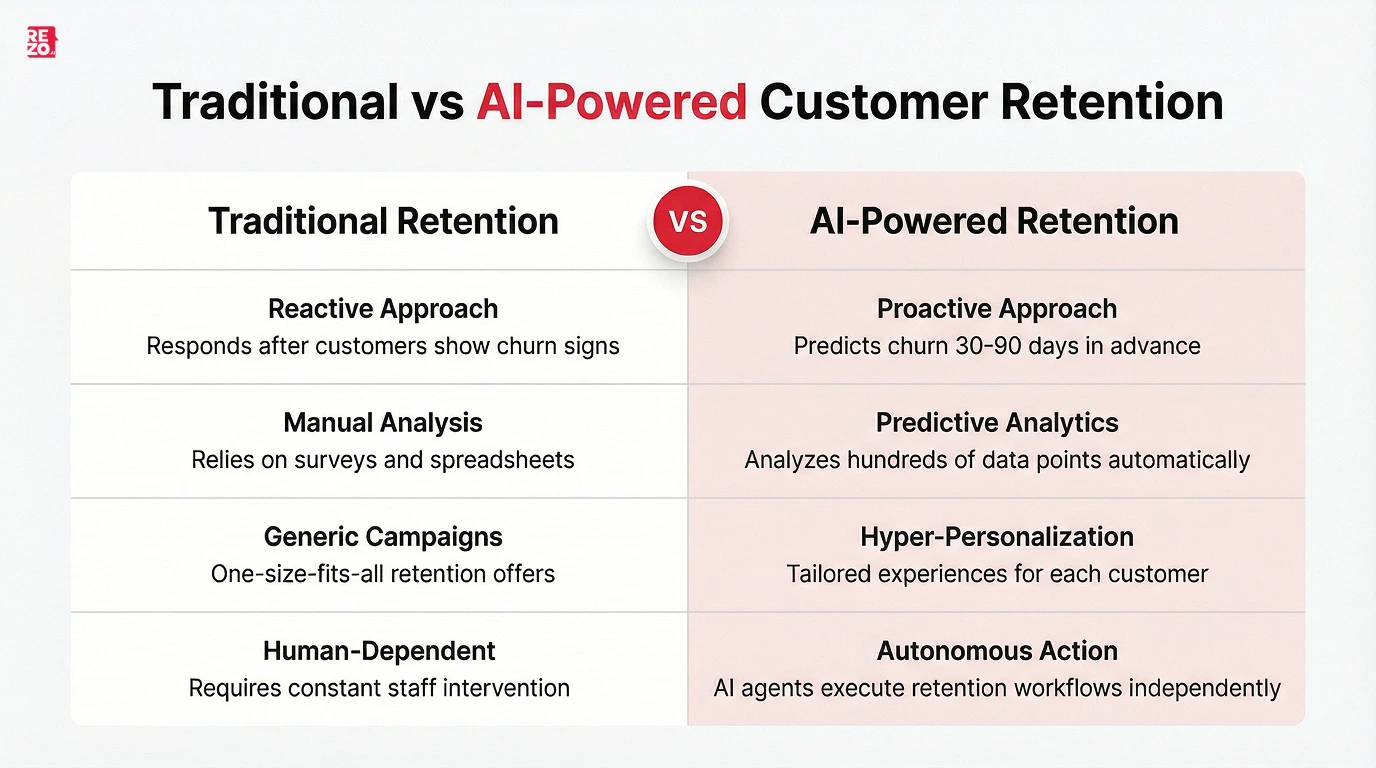
Image Source: Rezo
The Three Places AI Workflows Change Agency Retention
1. Response Time
Most client questions are not urgent. But most clients remember when they waited two days for a simple answer.
An AI agent handles the predictable layer of questions that have clear, documented answers instantly. No queue. No waiting for someone to check their inbox. The client gets a response at 11 pm on a Sunday, the same way they do at 10 am on a Tuesday.
For agencies managing multiple clients across time zones, this alone changes the support experience significantly.
2. Consistency
When support depends on which team member picks up the email, the quality varies. One person explains things clearly. Another gives a one-line answer that creates three more questions.
An AI workflow trained on your agency's documentation gives the same-quality answer every time. The same tone, the same level of detail, the same on-brand language.
Clients notice consistency. It builds confidence. Confidence drives retention.
3. Escalation Quality
This is the one thing most agencies get wrong when they think about AI support.
The goal is not to keep clients away from humans. The goal is to make sure that when a human does get involved, they are walking into the conversation fully prepared.
A well-designed AI workflow does not just escalate. It passes everything: what the client asked, what the AI responded, what the client's current sentiment is, and what data has already been retrieved. The account manager opens the conversation and already understands the situation.
That is the difference between an escalation that builds trust and one that compounds frustration.
Using AI Workflows as a Client Service Offering
Here is where it gets interesting for agencies with the right positioning.
Your clients have the same problem you do. Their customers are asking repetitive questions, waiting too long for answers, and churning because support feels slow or impersonal.
Deploying AI support workflows for your clients is a service with measurable, visible ROI. And ROI that is visible keeps clients on retainer.
Consider what this looks like for a typical ecommerce client:
They receive 600 customer inquiries per month. Order status, return policies, product questions, shipping updates. Most of these have clear answers. Most of them are being handled by a person.
You deploy an AI agent trained on their help documentation. Within 30 days, 70% of those queries are resolved without a human. Response time drops from hours to seconds. Their support team handles real issues instead of repetitive ones.
That is a result you can put in a monthly report. That is the kind of outcome that makes a client renew without negotiating.
For a full picture of how this works across different business types, Chatbase's customer support automation guide covers the setup process from knowledge base preparation to escalation design to measuring results.
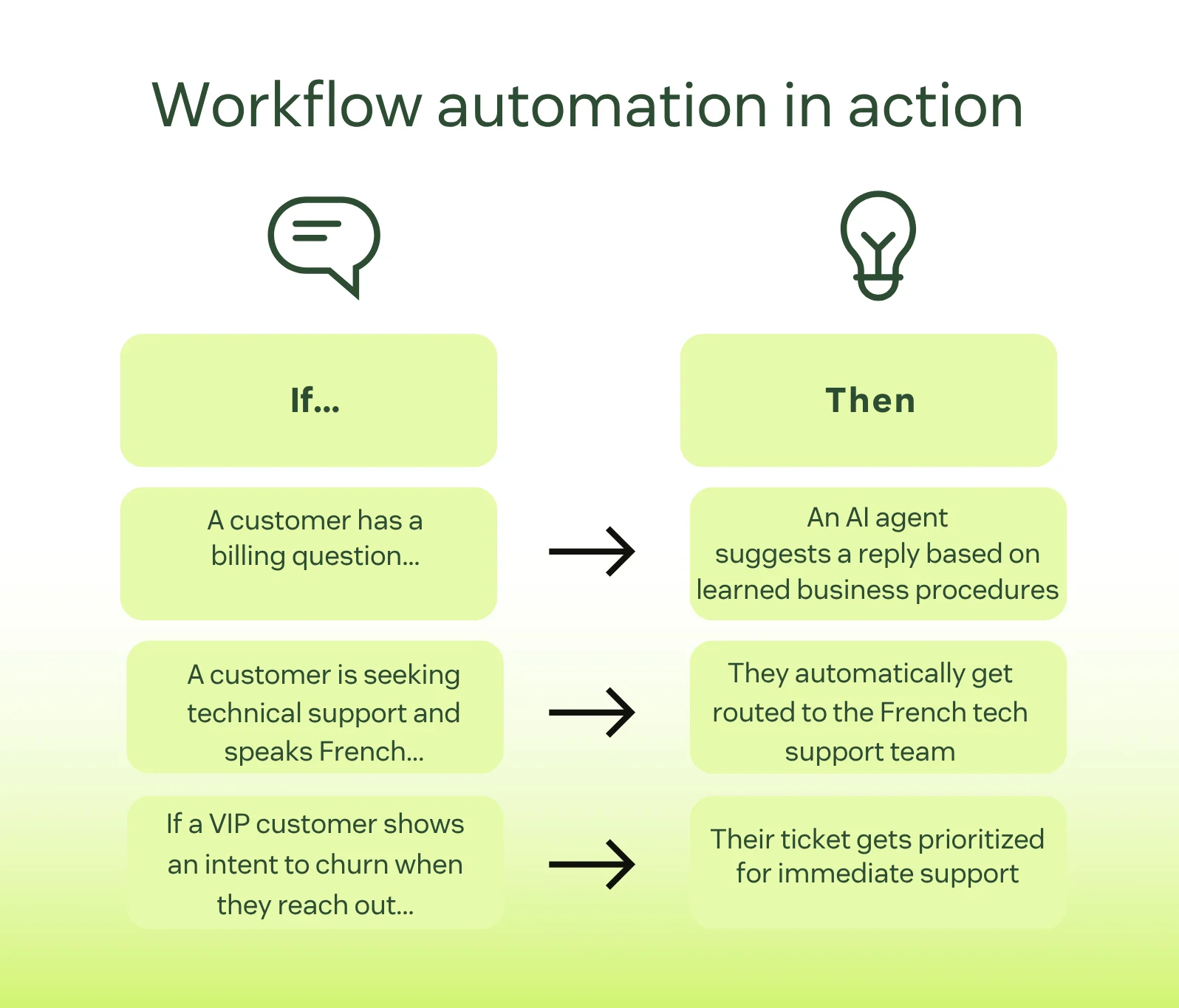
Image Source: Zendesk
What You Need to Get Right Before You Deploy?
Whether you are building this for your agency or for a client, three things determine whether it actually works.
1. The knowledge base has to be ready first
An AI agent is only as good as the content it is trained on. Outdated documentation means wrong answers. Wrong answers mean clients escalate to a human anyway, and lose trust in the process.
Before any agent goes live, audit the content it will be trained on. Make sure it is current, complete, and written clearly. This is the most important step and the one most teams skip.
2. Escalation rules have to be defined before launch
The agent needs to know exactly when to stop and hand off to a human. Which topics always require a person? What sentiment signals should trigger escalation? What happens when a client explicitly asks to speak with someone?
These rules need to be written before go-live, not figured out from complaints after the fact.
3. Someone has to own ongoing maintenance
Policies change. Services update. An AI agent trained on accurate content in January can give wrong answers in April if nobody is maintaining the knowledge base.
For agencies offering this as a managed service, maintenance is the retainer. It is what keeps clients paying month to month and what keeps the agent performing accurately over time.
How to Position This to Clients?
The framing matters more than most agencies realize.
Don't say: "We're going to add a chatbot to your support."
Say: "We're going to build you an AI support agent trained specifically on your products, policies, and brand voice so your customers get accurate answers instantly, and your team only handles the conversations that actually need them."
The second version is what actually happens. It is also what clients say yes to.
The setup, training, and ongoing maintenance of that agent become a recurring service. Not a one-time project. A retainer line that renews because the results are visible every month.
The Metrics That Show It Is Working
Once an AI support workflow is live, whether for your agency or a client, these are the numbers worth tracking:
- Autonomous resolution rate: The percentage of conversations closed without any human involvement. This is the primary signal. It tells you whether clients are actually getting answers, not just receiving responses.
- Response time: Average time from first message to resolution, before and after deployment. The difference here is usually significant.
- Escalation rate and reasons: What percentage of conversations were escalated, and why? Patterns here reveal gaps in the knowledge base or workflow design.
- Re-contact rate within 72 hours: If clients or their customers are coming back on the same issue within three days, the first resolution did not hold. This surfaces problems early.
- CSAT on agent-handled conversations: Satisfaction specifically on AI-resolved interactions. A high resolution rate with low CSAT means the agent is closing conversations without actually solving them.
These five numbers tell you whether the workflow is improving retention or just moving volume around.
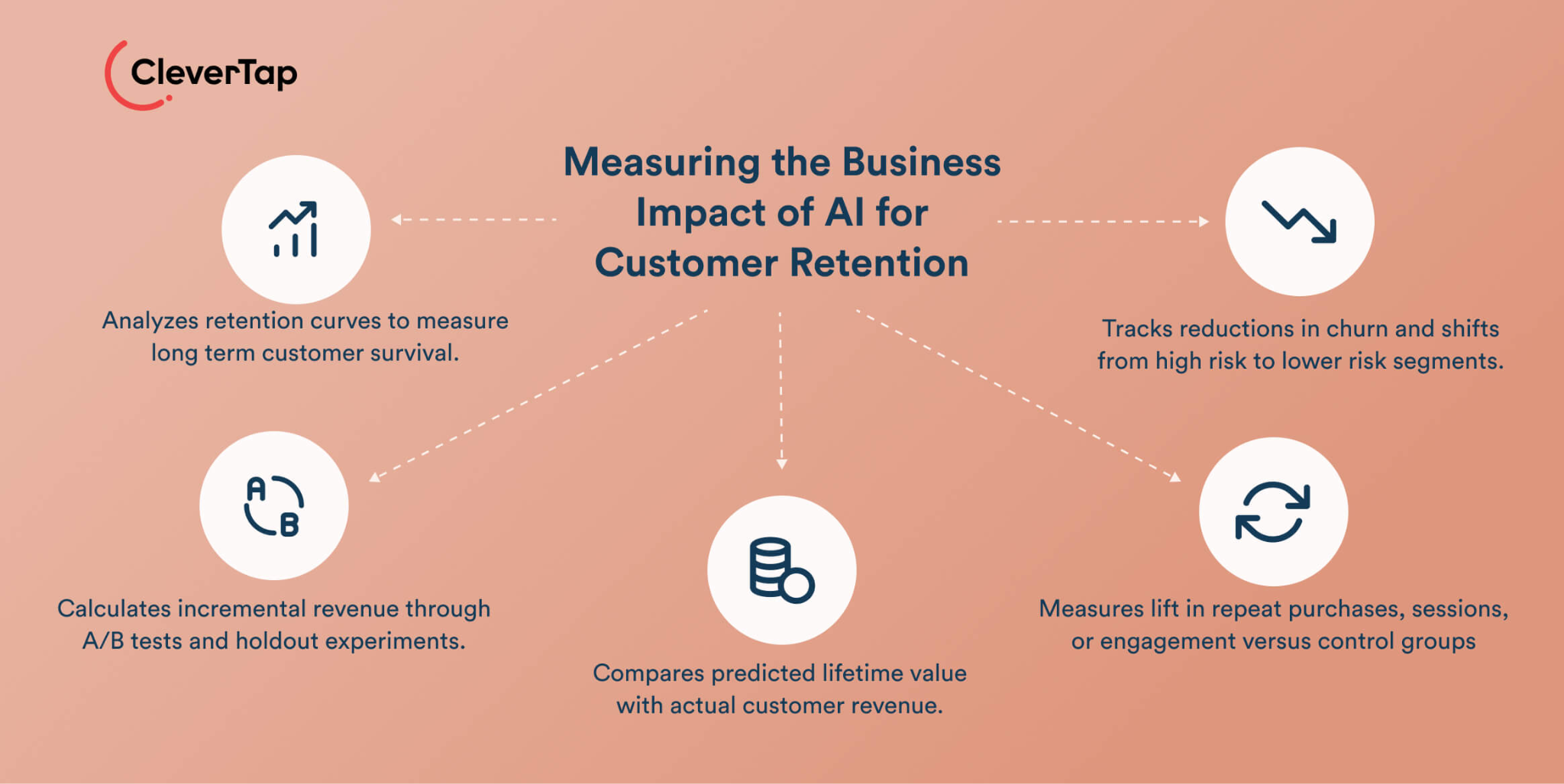
Image Source: CleverTap
Where to Start?
You do not need to roll this out across every client at once.
Pick one. Either your own agency's internal client support or one client with high support volume and repetitive, well-documented queries.
Prepare the knowledge base. Define the escalation rules. Go live on one channel. Review the data after 30 days.
Then expand what is working.
The cost of starting is low. The upside for your agency's client experience and your clients' customer results compounds over time.
How DashClicks Helps Agencies Deliver a Better Client Experience?
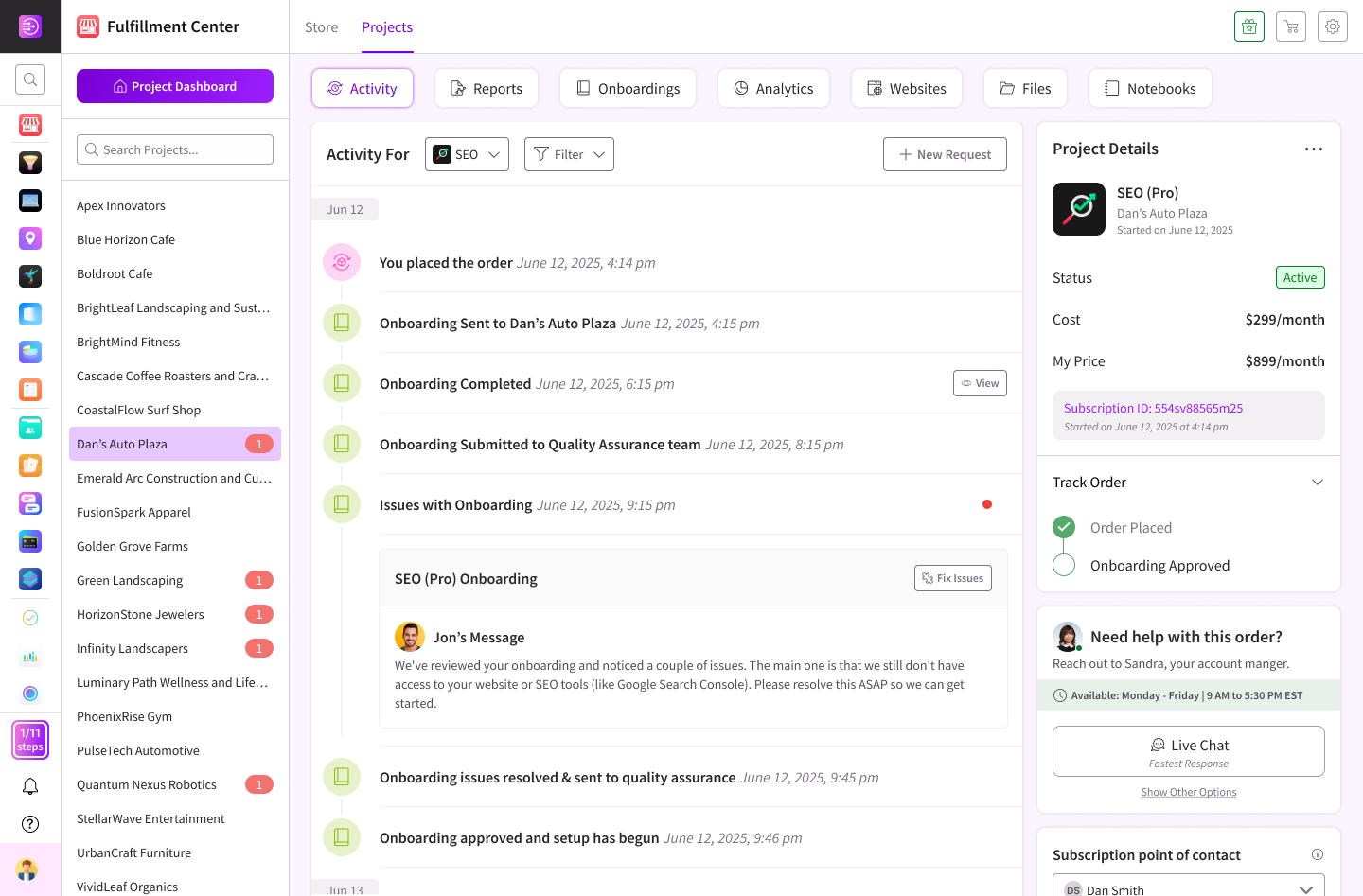
While AI support workflows improve response times and automate routine client interactions, agencies also need a structured way to manage projects, communicate updates, and demonstrate ongoing value. That's where DashClicks fits into the workflow.
DashClicks provides an agency management platform that complements AI-powered support by keeping client communication and service delivery organized. Agencies can use features like Conversations for centralized client messaging, Tasks to assign and track work across teams, and the reporting software to deliver automated performance reports that keep clients informed without additional manual effort.
When these operational tools are combined with AI support workflows, agencies can create a more consistent client experience. Routine questions can be handled instantly through AI, while project updates, campaign reporting, and team collaboration remain organized within a single platform. This reduces communication gaps, improves transparency, and allows account managers to spend more time on strategic conversations rather than administrative tasks.
For agencies looking to improve client retention, pairing AI-driven support with a centralized client management system helps create a service experience that is responsive, organized, and easier to scale as the business grows.
Better Client Support Keeps Clients Longer
The agencies that retain clients longest are not always the ones running the best campaigns. They are the ones with the best systems.
AI support workflows are one of those systems. They handle the predictable layer, free your team for the work that actually needs them, and give clients the kind of responsive, consistent experience that makes them stay.
Whether you build this for your own agency first or offer it directly as a client service, the opportunity is real, and the tools are available.
Start with one workflow. Measure the results. Scale what works.


.svg)


.svg)
.svg)
.svg)
.svg)
.svg)